Skip to content
Onassify

Built for retail businesses in Nigeria

Inventory management & POS software for Nigerian businesses

Onassify helps supermarkets, pharmacies, restaurants and shops across Nigeria track stock, sell faster at the till, run stock audits and see profit in naira across every branch, all from one dashboard.

Free trial · No card required · Works in your browser

app.onassify.com
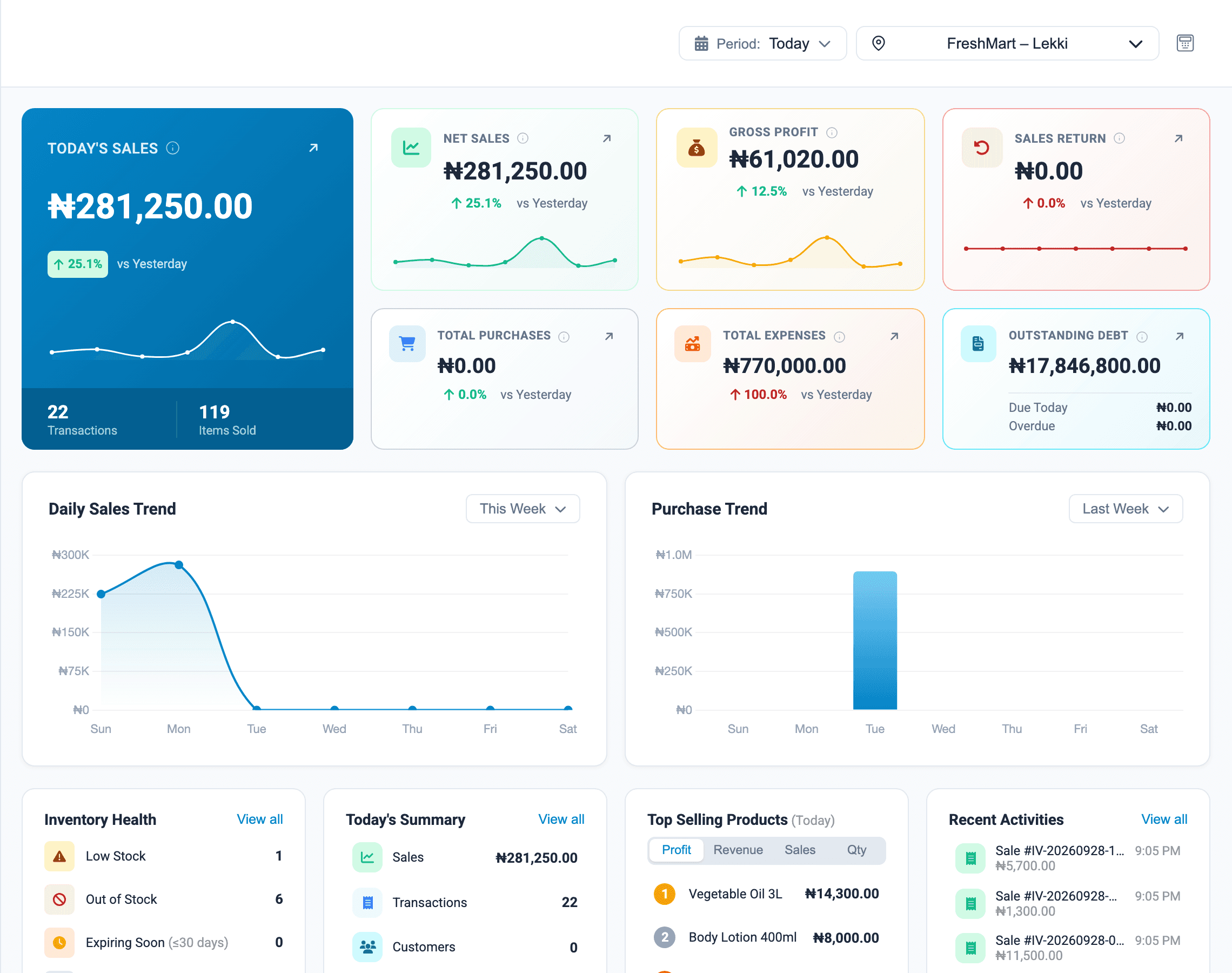
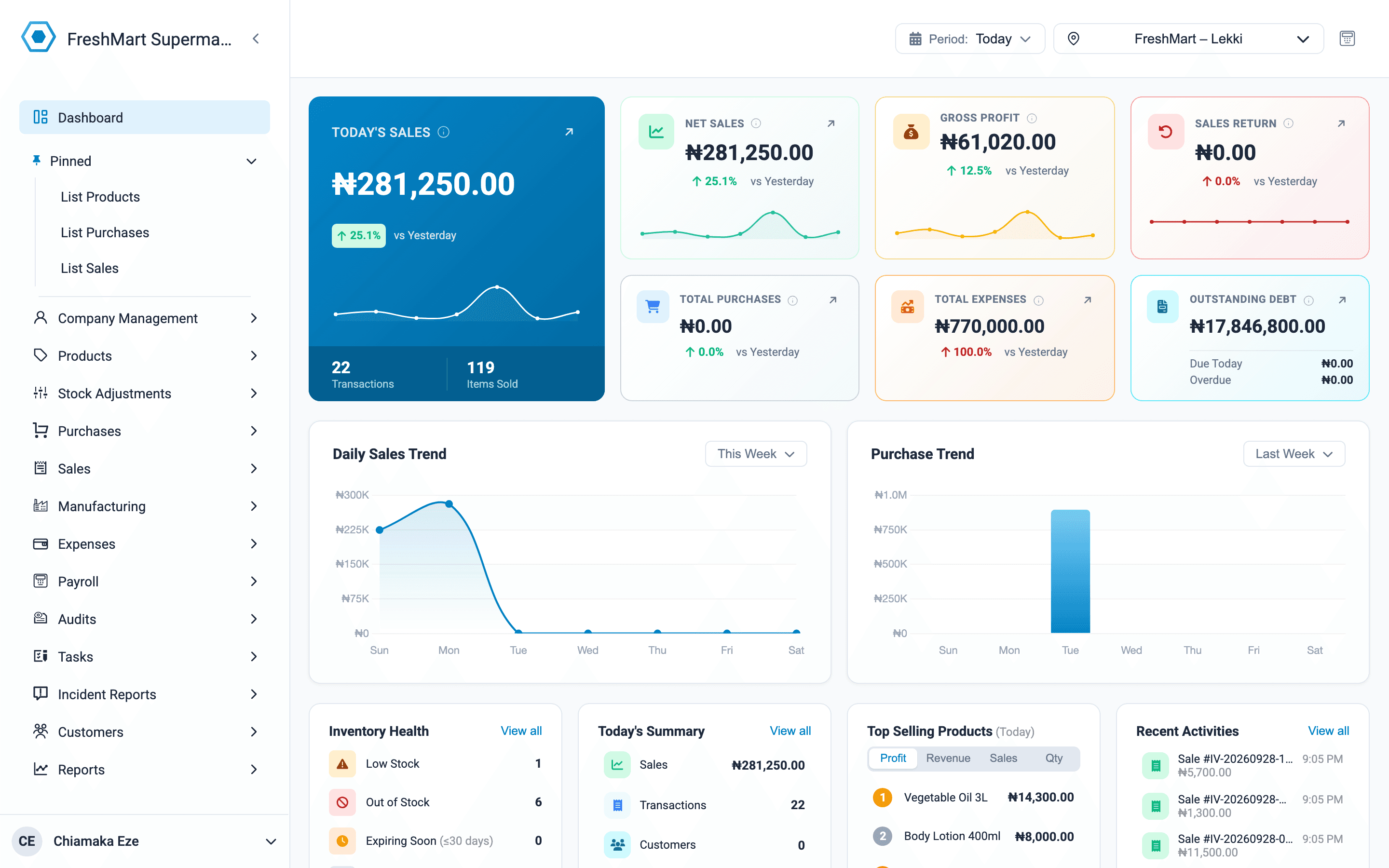
Onassify back-office dashboard showing today's sales, gross profit, expenses and top-selling products

Shown in naira. Onassify works in any currency: cedis, US dollars, shillings, rand and 150 more.

From corner shops to supermarket chains across Nigeria

  • Supermarkets
  • Pharmacies
  • Bakeries
  • Restaurants
  • Wholesalers
  • Mini marts
  • Phone shops
  • Fashion boutiques
  • Beauty & cosmetics
  • Hardware stores
  • Bookshops
  • Cafés

Why Onassify

Stop losing money you can't see

Most shops don't fail on sales. They leak profit through missing stock, till shortages and guesswork. Onassify closes those gaps.

  • Stock runs out unnoticed

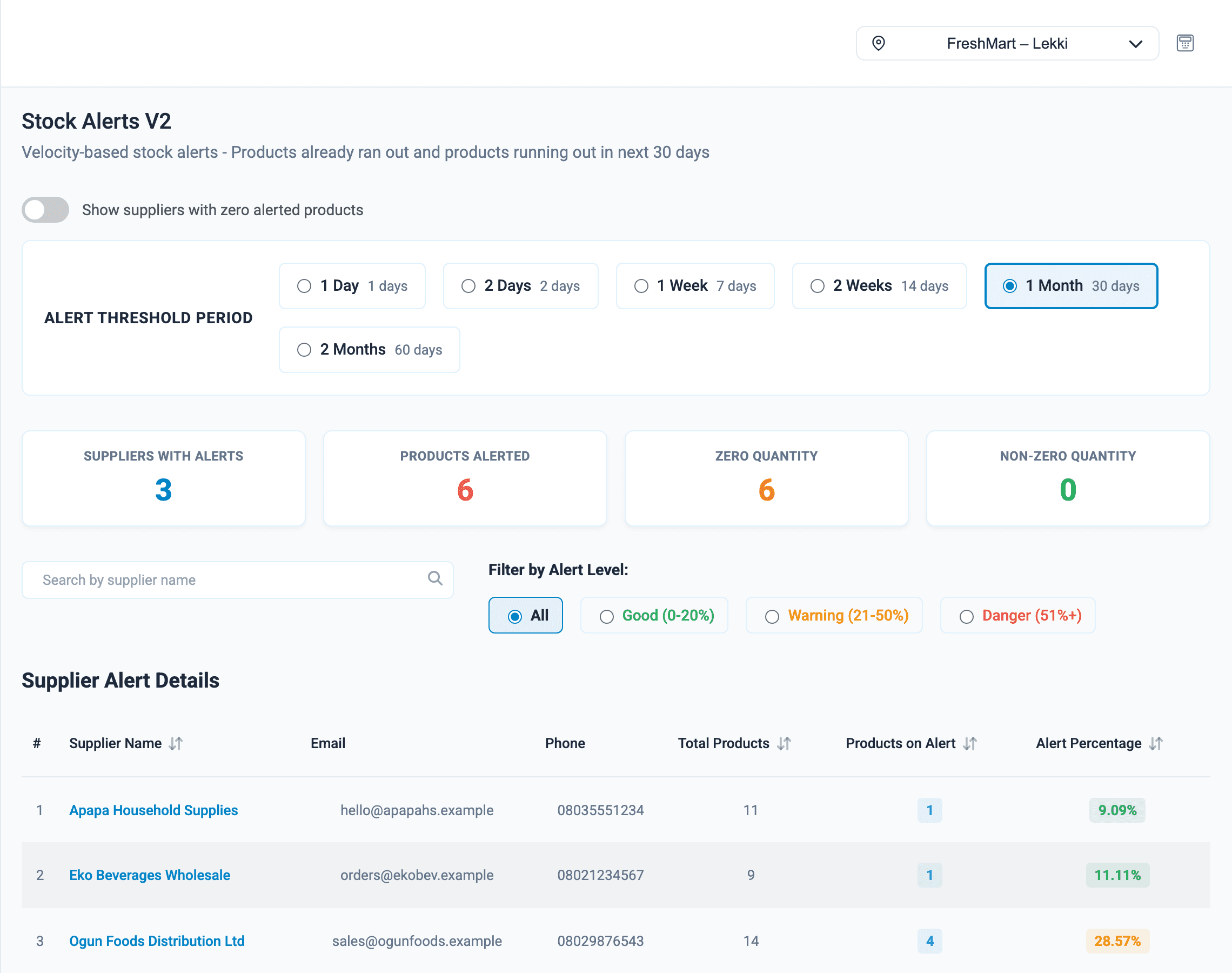
    Minimum-stock alerts grouped by supplier tell you what to reorder, and turn straight into a supplier order.

  • Shortages at the till

    Every cashier closes their register with a cash count. A manager checks it against the cash sold and records any shortage against that cashier.

  • Counts that never match

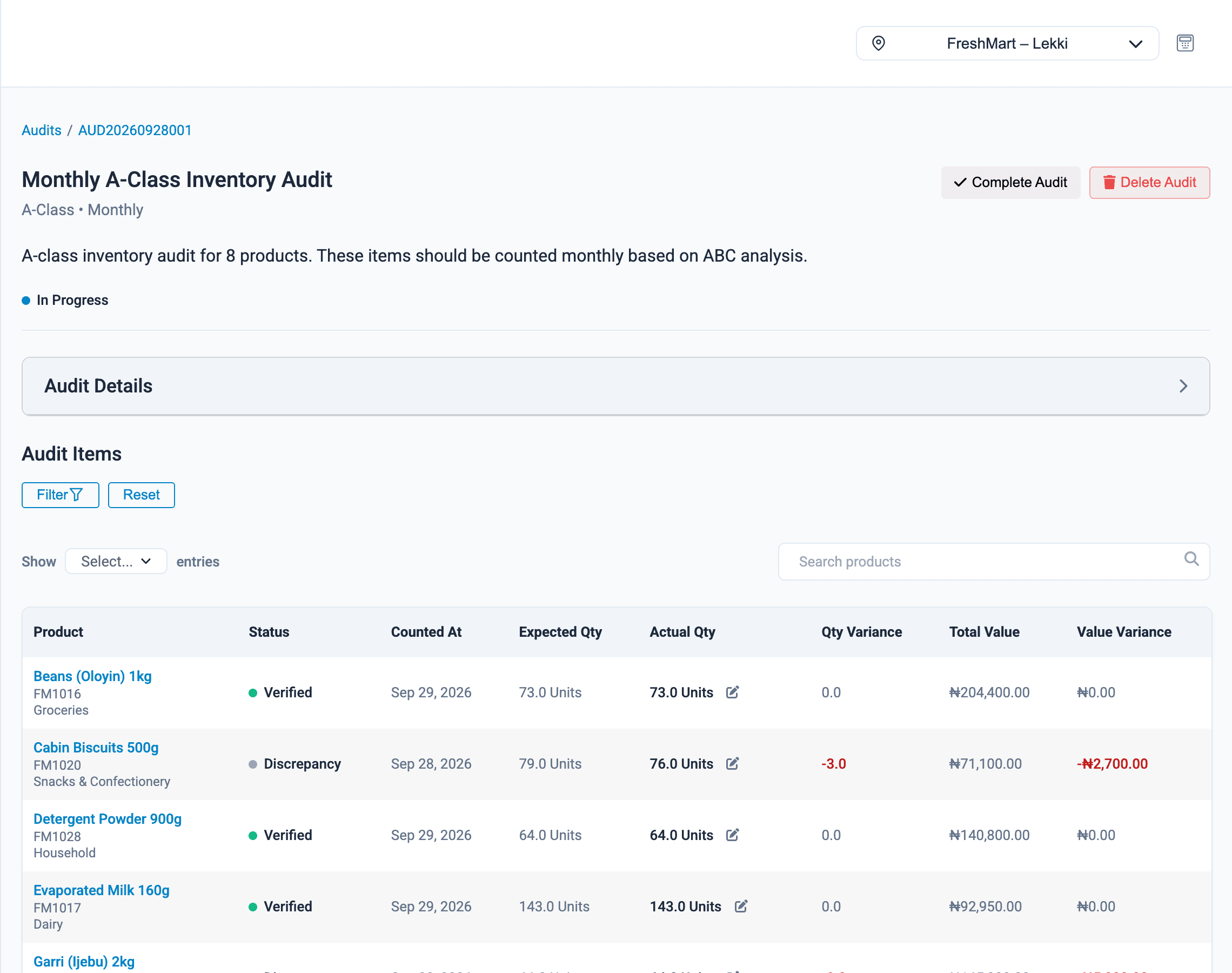
    Scheduled stock audits count your fastest-moving products most often, and every adjustment is logged against a person.

Introducing the Onassify suite

One system for your till, your stockroom and your office

Point of sale, inventory, purchasing, audits and reports share the same live data, across every branch. A sale at the counter updates everything instantly.

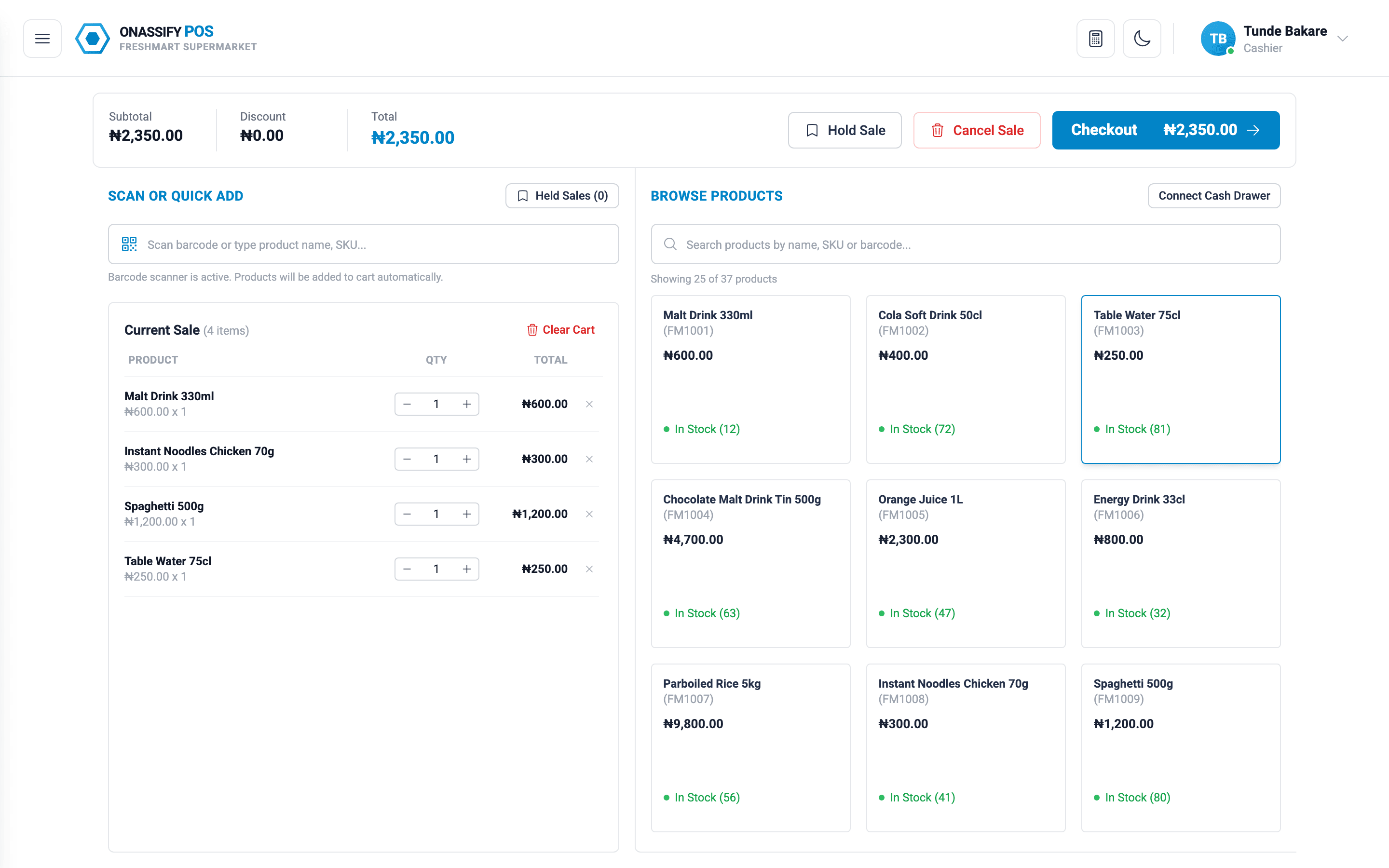
Onassify POS

pos.onassify.com

Point of sale for the counter, simple enough to learn in one shift.

  • Search or scan barcodes to add items fast
  • Split one bill across cash, POS terminal and transfer
  • Park a sale and resume it when the customer returns
  • Credit sales with due dates for trusted customers
  • Loyalty cards, discounts and printed receipts
  • End-of-day register close with cash count

Onassify Back Office

app.onassify.com

Everything behind the counter: stock, suppliers, staff and money.

  • Products, categories, brands, units and packs
  • Purchases, suppliers and supplier orders
  • Stock audits, adjustments and incident reports
  • Employees, payroll runs and salary advances
  • Sales reports, daily summaries and trends
  • Roles and permissions for every staff member

Features

Everything you need to run the shop floor and the back office

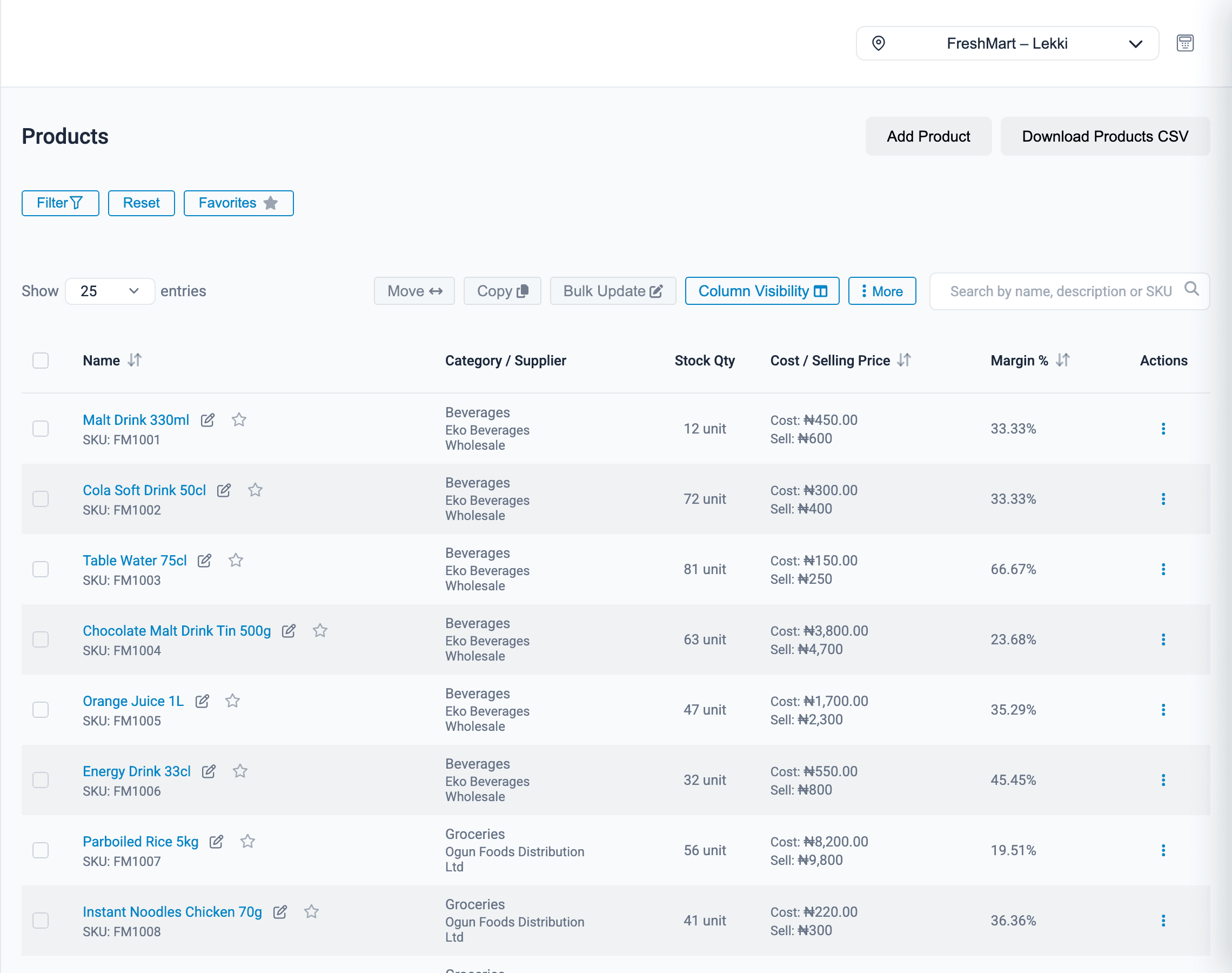
Know exactly what is on your shelves, in every branch

Every sale, purchase, return and adjustment updates stock instantly, so the number on screen is the number on the shelf.

  • Buy in cartons, sell in units: packs convert quantities for you
  • Track expiry dates and see products that have stopped selling
  • Bulk-edit prices and import your product list from CSV
More about inventory management
app.onassify.com
Onassify product list showing stock levels, prices and categories for a supermarket

And much more

  • Customers & loyalty
  • Manufacturing & recipes
  • Expenses
  • Staff, tasks & payroll
  • Recurring receivables
  • Price labels

See it in action

A quick tour of Onassify

From the sales dashboard to closing the till: a quick tour of the POS and back office, using a demo supermarket.

Read the transcript

This is Onassify. See today's sales, profit and expenses at a glance, in naira, from anywhere. At the counter, cashiers scan a barcode or search by name, split one bill across cash, transfer and POS terminal, and print the receipt. At closing, each cashier counts the cash in their drawer. A manager checks it against the cash sales, records any shortage, and signs off the day. Stock alerts show which products will soon run out, grouped by the supplier you buy them from, so reordering takes minutes. Regular stock audits have staff count your most valuable products most often, and show the gap between the shelf and the system, in naira. Open any product to see everything about it: price and margin, how fast it sells, days of stock left, every movement, its audit history and the expiry date of each batch. Run each branch's monthly payroll and mark every payslip as paid, in the same system you sell from. Switch between branches in one click, and transfer stock to the branch that is running low. Onassify. Inventory and point of sale for Nigerian businesses. Start your free trial at onassify.com.

Multi-branch

Run every branch from one account

Whether you have two shops in one city or ten across the country, Onassify gives each branch its own stock, registers and reports, all under one login.

One login, every branch
Switch between branches in a click, from anywhere.
Stock transfers
Move stock to the branch that needs it, with a record at both ends.
Access by location
Staff only see the branches they work in.
More about running several branches

Industries

Made for the way Nigerian businesses sell

From a single pharmacy to a chain of supermarkets, Onassify adapts to what you sell and how you sell it.

Why retailers trust Onassify

Built for the way Nigerian stores really run

Cash, transfers and POS terminals. Cashiers who change shifts. Stock that walks. Onassify is designed around all of it.

  • Every way your customers pay

    Split one bill across cash, POS terminal, bank transfer or mobile money, or record a credit sale with a due date. Every payment lands in the right column.

    Payment · Sale IV-20260929-3F9A1C

    Cash₦5,000
    POS terminal₦12,500
    Bank transfer₦20,000
    Total₦37,500 Paid
  • Every till balanced at close

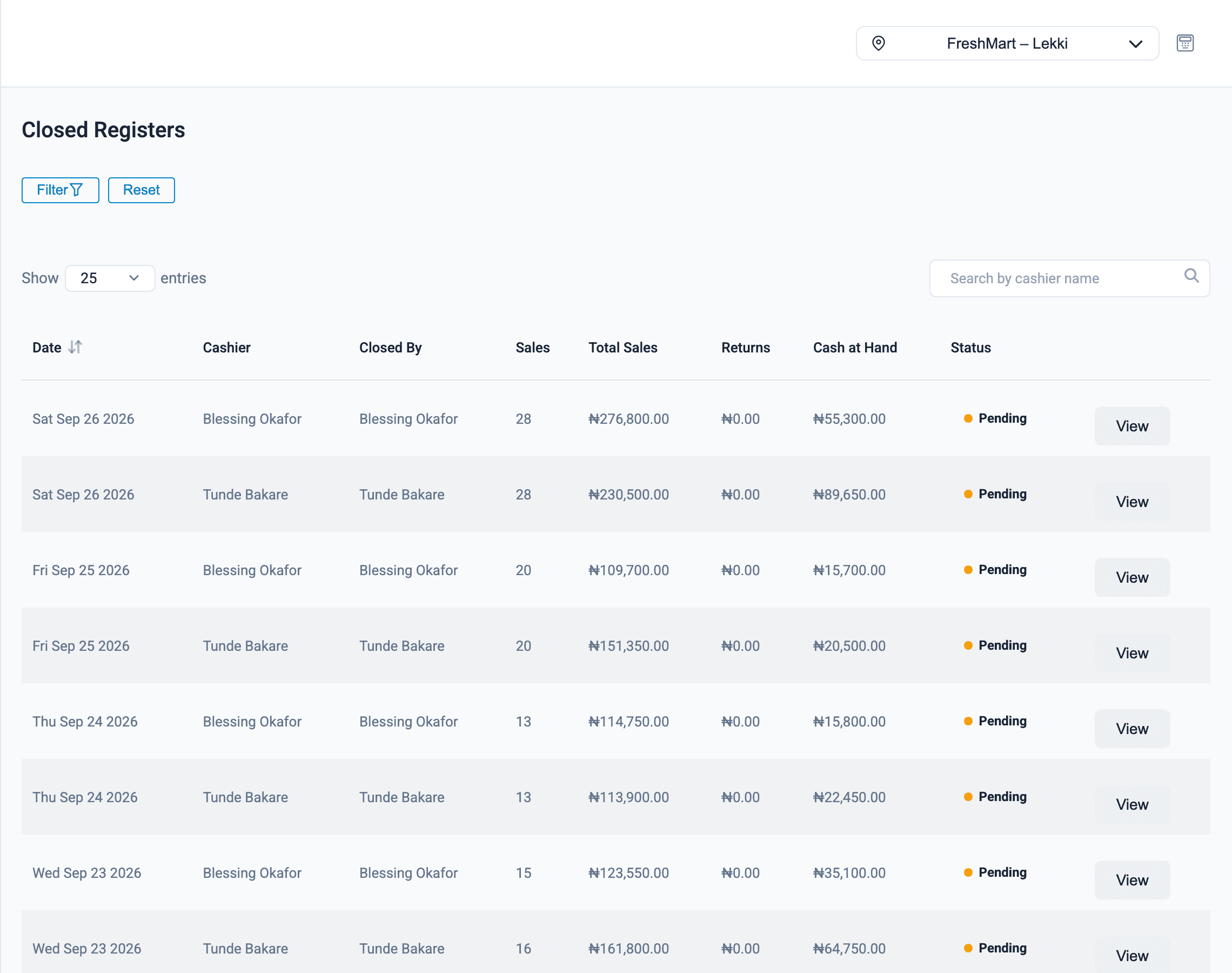
    Each cashier closes their register with a cash count. A manager checks it against the cash sold, records any shortage against that cashier and approves the close.

    End of day · Blessing O. · Lekki

    Cash sold₦55,300
    Cash counted₦54,800
    Shortage recorded−₦500
  • Staff see only their part

    Roles and permissions keep cashiers on the till, while managers and owners get reports, purchasing and payroll, branch by branch.

    Roles & permissions

    SellReportsPayrollCashierManagerOwner
  • “Before Onassify we did stock count once a year and always came up short. Now the audits tell us exactly where the gaps are.”
    Customer nameOwner, Supermarket, Lagos
  • “I can see what each of my three branches sold today from my phone, before I even call the managers.”
    Customer nameDirector, Pharmacy chain, Abuja
  • “Closing the till used to take an hour of arguments. Now every cashier's shortage is on the report.”
    Customer nameManager, Restaurant, Accra

How it works

Up and running in an afternoon

No installation, no hardware to buy up front. If you have a computer or tablet and internet, you're ready.

  1. 1

    Create your account

    Enter your business name and email. We'll send a link to set your password.

  2. 2

    Add your products

    Add products one by one or import your list from a spreadsheet.

  3. 3

    Invite your staff

    Give cashiers and managers their own logins and permissions.

  4. 4

    Start selling

    Open the POS on any computer or tablet and make your first sale.

Create your free account

FAQ

Frequently asked questions

What is Onassify?

Onassify is inventory management and point of sale (POS) software for businesses in Nigeria, Ghana and across Africa. The back-office app manages products, purchases, suppliers, audits, staff and payroll, while the POS app handles checkout at the counter. Both share the same live data.

Is there a free trial?

Yes. Create an account with your business name and email, and you can start using Onassify straight away. No card is required.

Do I need to install anything?

No. Onassify runs in your web browser on a laptop, desktop or tablet. Your cashiers open the POS at pos.onassify.com and managers use the back office at app.onassify.com.

Can I manage more than one branch?

Yes. Each branch has its own stock, registers and reports, and you can switch between them or move stock from one branch to another. Staff can be limited to the branches they work in.

Which currencies does Onassify work in?

Each business picks its currency when it signs up: naira (₦), Ghana cedis (GH₵), US dollars ($) or any of more than 150 other currencies, such as Kenyan shillings, South African rand and euros. Prices, sales, expenses, payroll and receipts all use it. You can take cash, POS terminal, bank transfer, mobile money (such as MoMo) and credit payments.

Can Onassify run payroll for my staff?

Yes. You can record employees with their salaries and bank details, generate a monthly payroll run, deduct salary advances and mark each payslip as paid.

How do stock audits work?

Onassify groups your products into A, B and C classes based on their sales value and generates audit lists for staff to count. It compares counted quantities with expected stock and shows the variance for each product.

Can I import my existing products?

Yes. You can import products from a CSV file, or add them one at a time. You can also bulk-edit prices and categories later.

Can I control what each staff member can see?

Yes. Onassify has roles and permissions, so a cashier can sell at the till without access to profit reports, payroll or purchasing, while managers and owners see everything they need.

Know your stock. Trust your till. Grow your business.

Start your free Onassify trial today. Set up your store in minutes, no card required.