
Point of sale
POS software for Nigerian shops and supermarkets
Onassify POS is a point of sale system that runs in a web browser. Cashiers scan or search, take payment by cash, POS terminal or transfer, and every sale updates your stock and reports the moment it is made.
Free trial · No card required · Works in your browser
What a good POS should fix
Slow queues at the counter
Cashiers find a product by scanning its barcode or typing a few letters, so a full basket takes seconds.
Payments that never add up
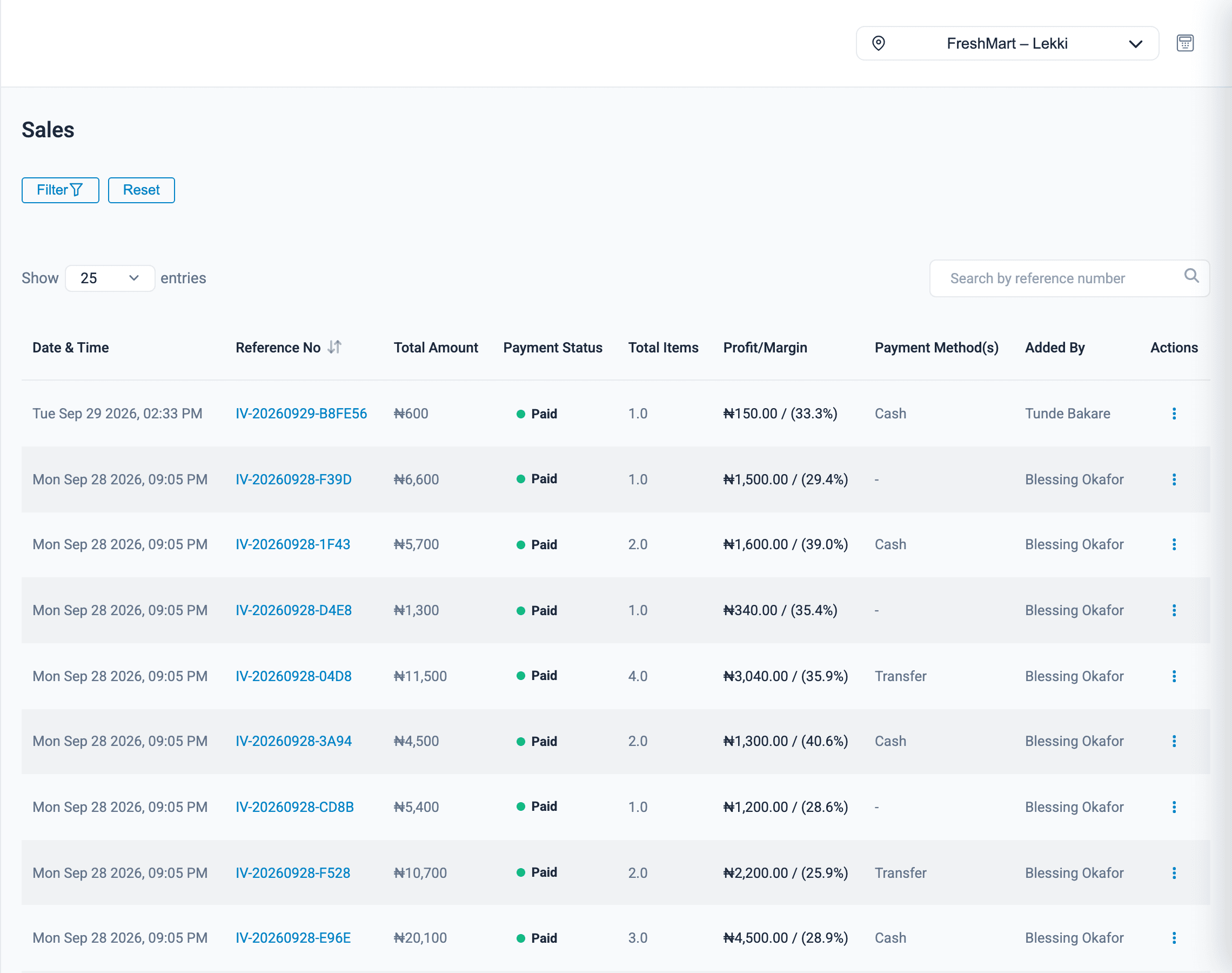
Each payment is recorded against its method, so the end-of-day totals match what is in the drawer and the bank.
No record of who sold what
Every sale carries the cashier's name, the time, the items and the profit made on it.
Point of sale
What Onassify does for you
A till your cashiers can learn in one shift
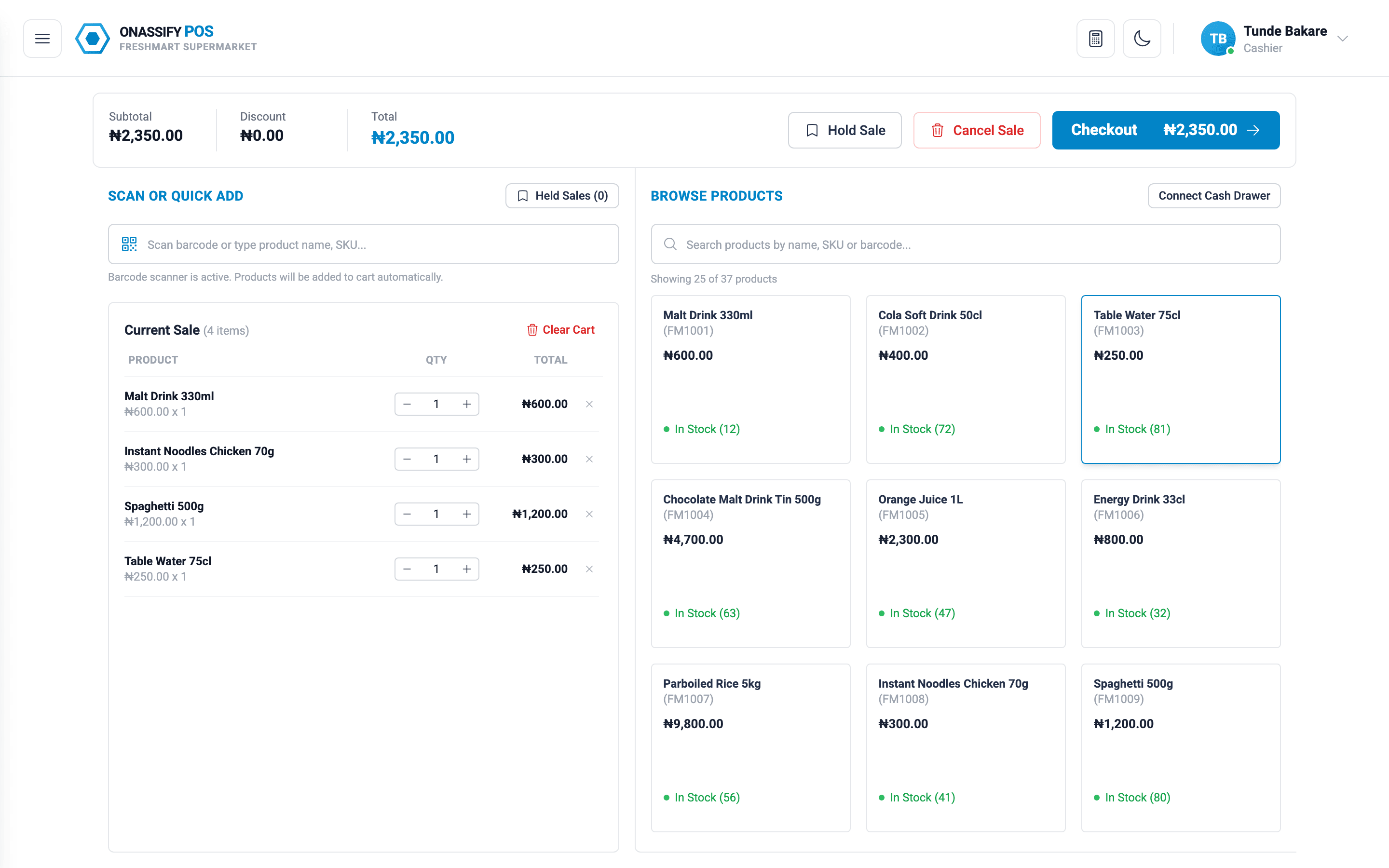
The POS screen shows products, the current sale and the total. There is nothing else to get lost in.
- Search by name or scan a barcode to add an item
- Sell single units or whole packs at their own prices
- Park a sale and resume it when the customer comes back
- Apply discounts only where you have allowed them
- Print a receipt for every sale
More than a till
Stock updates with every sale
The POS and the back office share one set of data, so stock levels are correct the moment a sale is made.
Logins for each cashier
Staff sign in as themselves and only see what their role allows.
Every branch in one account
Each branch has its own registers, stock and reports.
Nothing to install
Open pos.onassify.com on a laptop, desktop or tablet and start selling.
How it works
From sign-up to first sale
- 1
Create your account
Enter your business name and email, then set your password from the link we send.
- 2
Add your products
Type them in or import your list from a CSV file, with prices and barcodes.
- 3
Give cashiers a login
Invite each cashier and choose what they are allowed to do.
- 4
Open the POS and sell
Cashiers sign in at pos.onassify.com, open their register and take the first sale.
FAQ
POS software: questions and answers
Do I need special hardware to use Onassify POS?
No. Onassify POS runs in a web browser on a laptop, desktop or tablet. A barcode scanner is optional: cashiers can also find products by typing the name.
Can a customer pay part in cash and part by transfer?
Yes. One sale can be split across cash, POS terminal and bank transfer, and each part is recorded against its payment method.
Can I sell on credit?
Yes. You can record a credit sale for a customer with a due date. Outstanding debt, including what is due today and what is overdue, shows on your dashboard.
How do I know if a cashier is short at the end of the day?
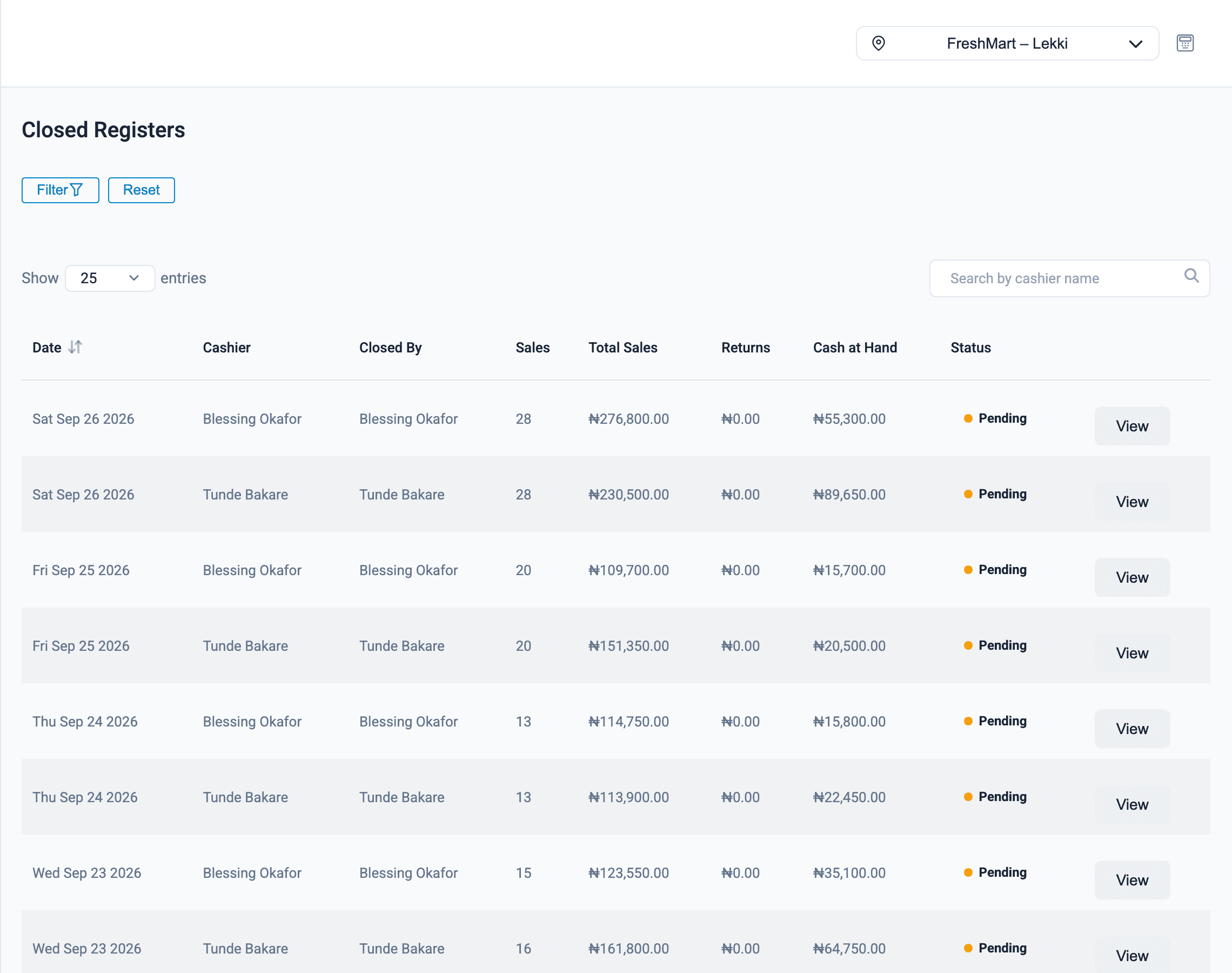
Each cashier closes their register with a cash count. A manager sees the count beside that register's sales by payment method, records any shortage or overage, and approves the close. Onassify keeps a running monthly total for each cashier.
How much does Onassify POS cost?
Onassify is free to try. Create an account with your business name and email and start selling. No card is required.
More of what Onassify does
Supermarkets
Fast checkout, thousands of products, reordering by supplier and a cash count for every cashier.
Learn moreInventory management
Live stock levels in every branch, low-stock alerts by supplier and a record of every change.
Learn moreStock audits
Cycle counts by A, B and C class, with every variance shown in units and in value.
Learn more
Know your stock. Trust your till. Grow your business.
Start your free Onassify trial today. Set up your store in minutes, no card required.