
For pharmacies
Pharmacy inventory and POS software for Nigeria
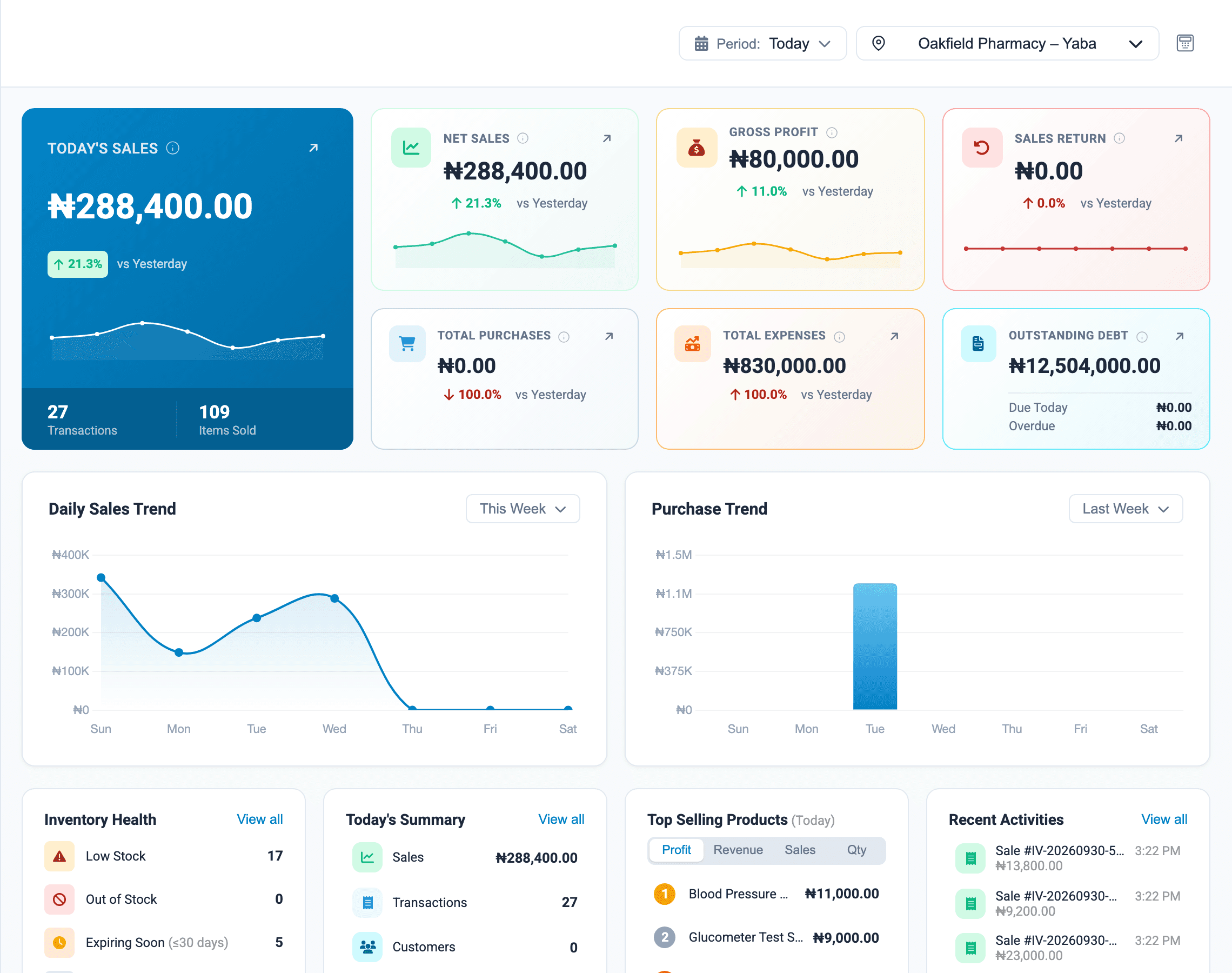
A pharmacy carries many small, expensive products with expiry dates. Onassify tracks each one from purchase to sale, warns you before stock expires or runs out, and shows who handled what.
Free trial · No card required · Works in your browser
Where pharmacies lose money
Products expire on the shelf
Record expiry dates when you enter a purchase and get warned 30, 60 or 90 days ahead, while there is still time to sell the stock.
Costly items go missing
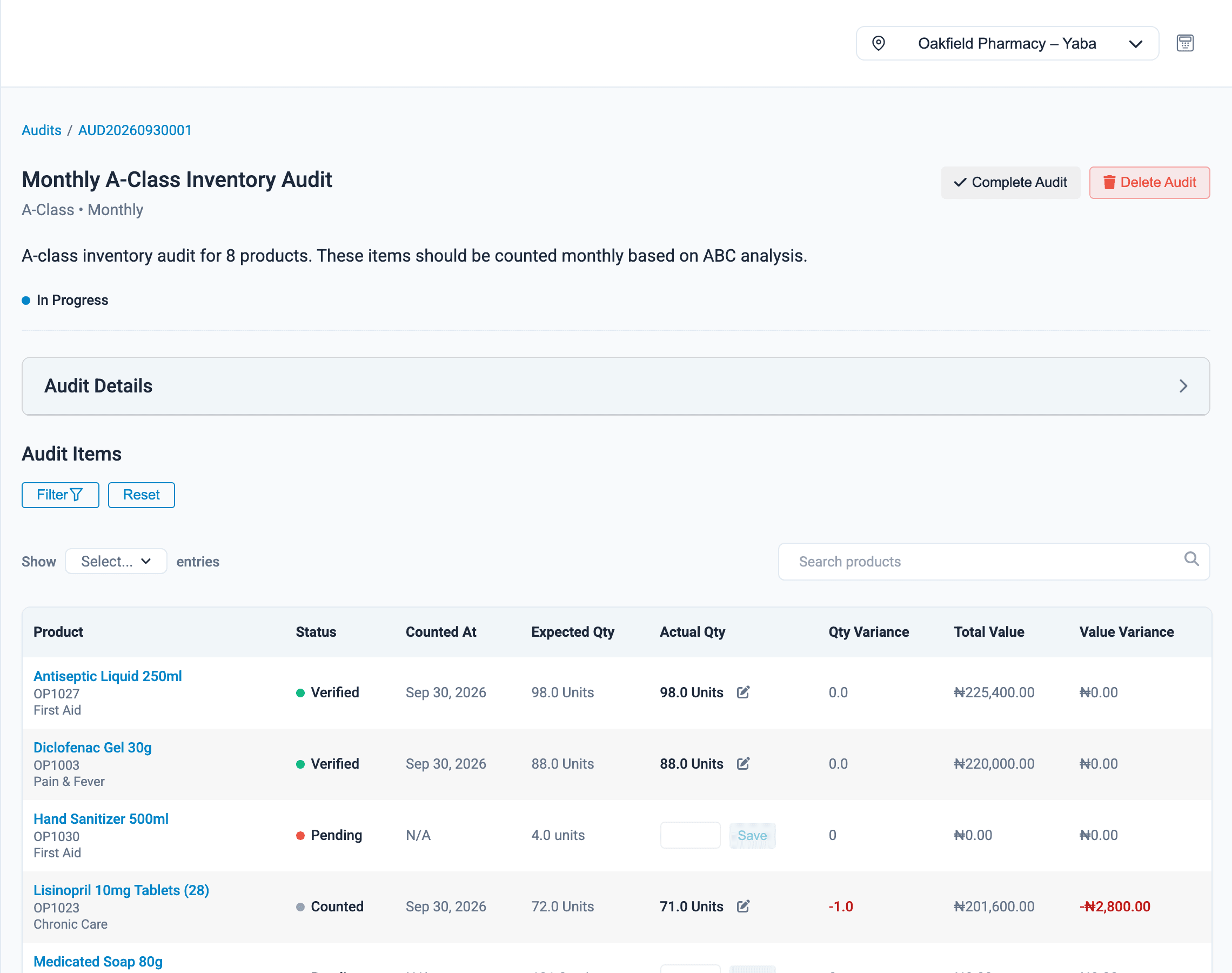
High-value products are counted more often, and every difference is shown in naira.
Staff see too much
Give each role its own permissions, so a sales assistant can sell without seeing profit reports or purchasing.
For pharmacies
What Onassify does for you
See expiry coming, product by product
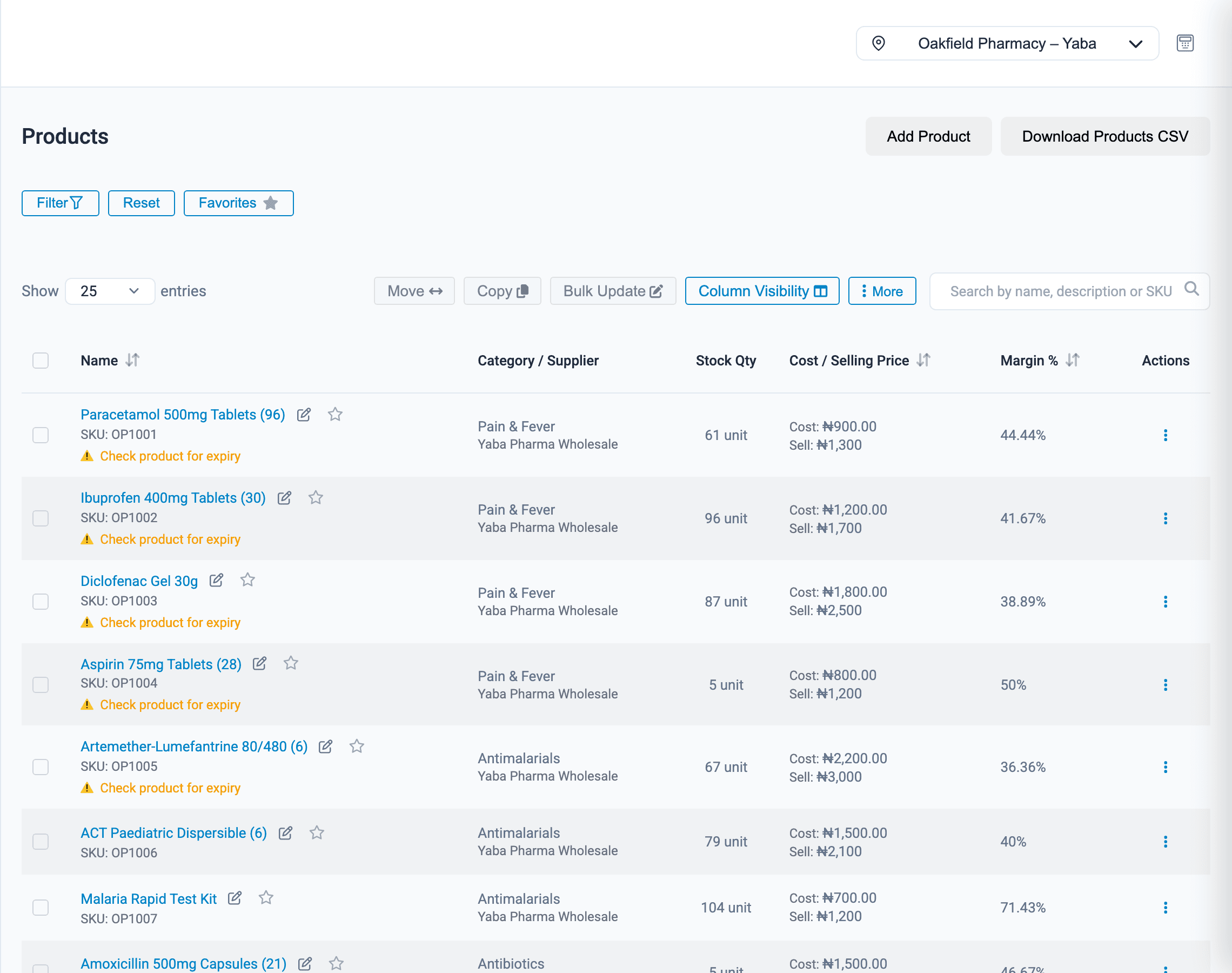
Record the expiry date and batch number when stock arrives. Products that need checking are flagged in your product list, and the dashboard counts what is expiring soon.
- Expiry dates with batch number and quantity
- A warning on each product that is close to expiry
- Expiring-soon count on the dashboard
- Stock, cost, selling price and margin side by side
What else pharmacies use
Batch numbers
Save a batch number and quantity with each expiry date.
Roles and permissions
Decide who can sell, who can adjust stock and who can see reports.
More than one branch
Each pharmacy has its own stock and registers, and you can transfer stock between them.
Purchases and suppliers
Record what you bought, at what cost, and what you still owe.
Profit in naira
See sales, gross profit and expenses by day and by branch.
Payroll
Pay staff from the same system, with salary advances deducted for you.
How it works
Setting up a pharmacy
- 1
Create your account
Sign up with your pharmacy's name and email.
- 2
Import your product list
Upload a CSV file with names, prices and barcodes.
- 3
Record stock and expiry dates
Enter what is on the shelf, with expiry dates and batch numbers.
- 4
Set roles and start selling
Invite your staff, choose their permissions and open the POS.
FAQ
Pharmacies: questions and answers
Does Onassify track expiry dates and batch numbers?
Yes. For each product you can record expiry dates with a batch number and quantity. The dashboard shows how many items are expiring soon, and you choose how far ahead to be warned, for example 30, 60 or 90 days.
Does Onassify handle prescriptions or insurance claims?
No. Onassify manages stock, sales, staff and money for a pharmacy. It does not record prescriptions or process insurance claims.
Can I control what sales staff can see?
Yes. Onassify has roles and permissions. A sales assistant can sell at the counter without access to profit reports, purchasing or payroll.
Can I sell a single pack from a carton?
Yes. Define how many packs or units are in a carton, and Onassify converts the quantities when you buy a carton and sell from it.
Does it work for a pharmacy with several branches?
Yes. Each branch keeps its own stock, registers and reports under one account, and staff can be limited to the branches they work in.
More of what Onassify does
Inventory management
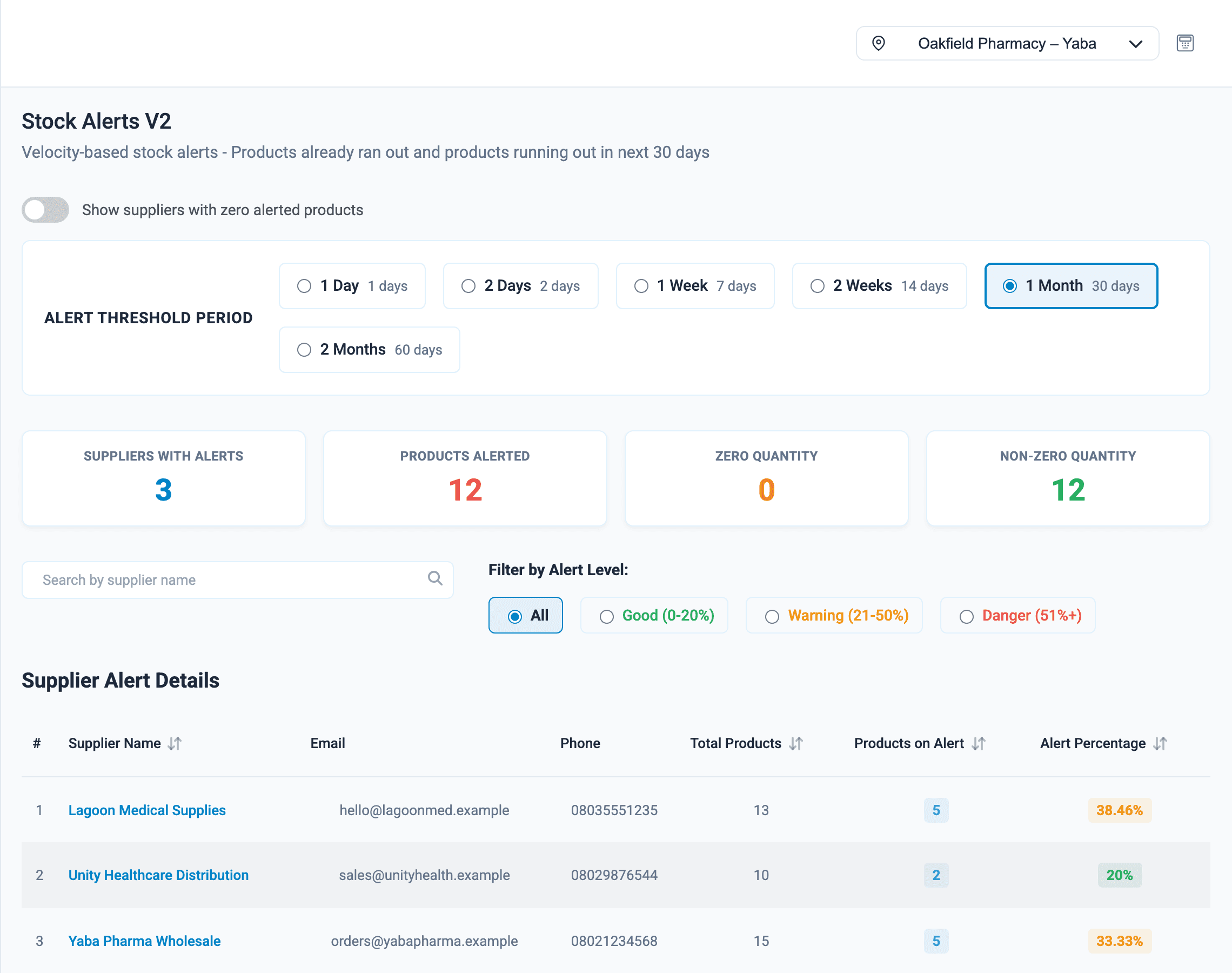
Live stock levels in every branch, low-stock alerts by supplier and a record of every change.
Learn moreStock audits
Cycle counts by A, B and C class, with every variance shown in units and in value.
Learn morePOS software
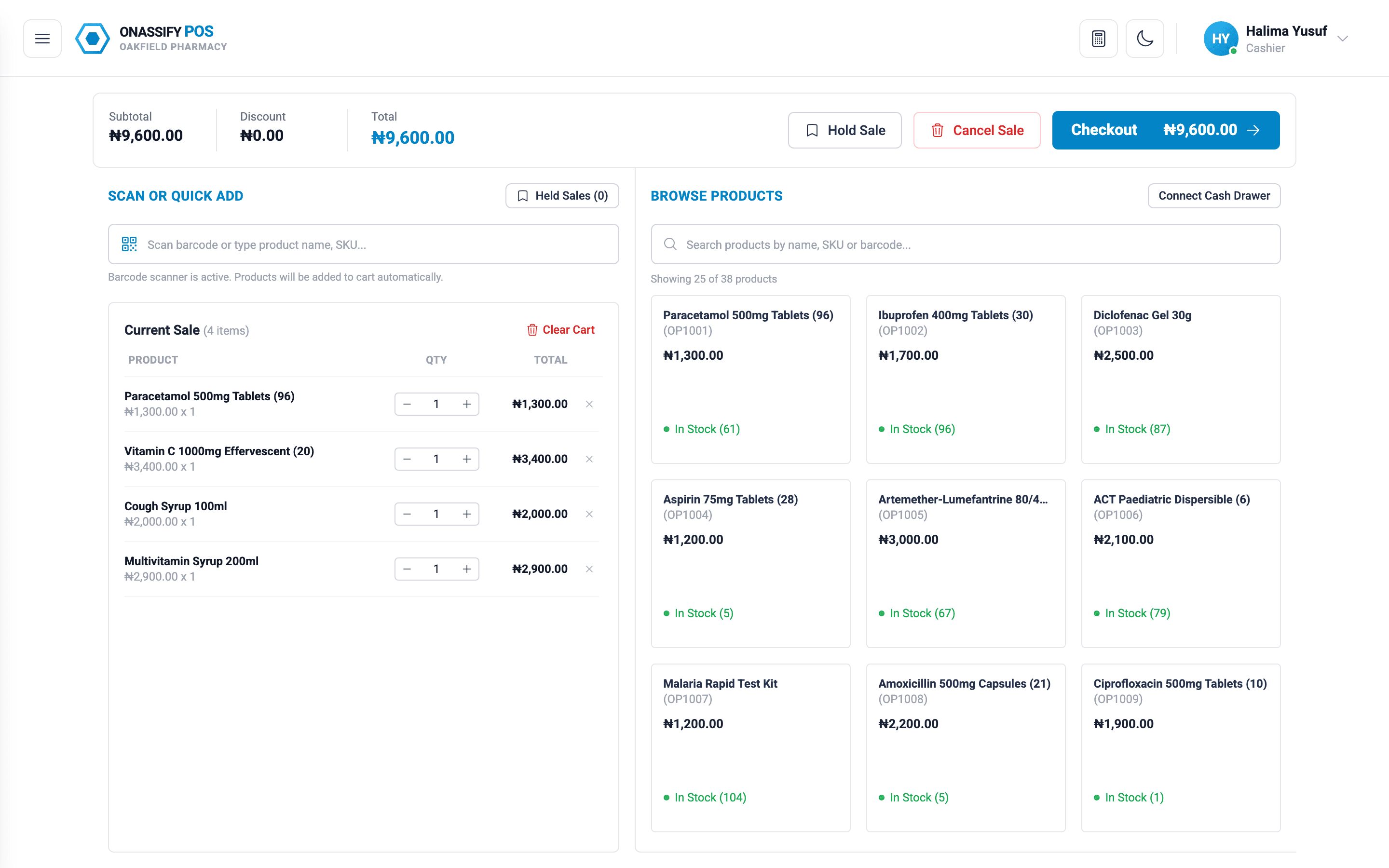
A fast till that takes cash, POS terminal and transfer, and closes every register with a cash count.
Learn more
Know your stock. Trust your till. Grow your business.
Start your free Onassify trial today. Set up your store in minutes, no card required.