
Stock audits
Stock audit and stock-taking software for retailers
Counting everything once a year tells you stock is missing, not when or where it went. Onassify splits the count into short, regular audits and shows the difference for each product in units and in value.
Free trial · No card required · Works in your browser
Why yearly stock-taking fails
Counts take a whole day
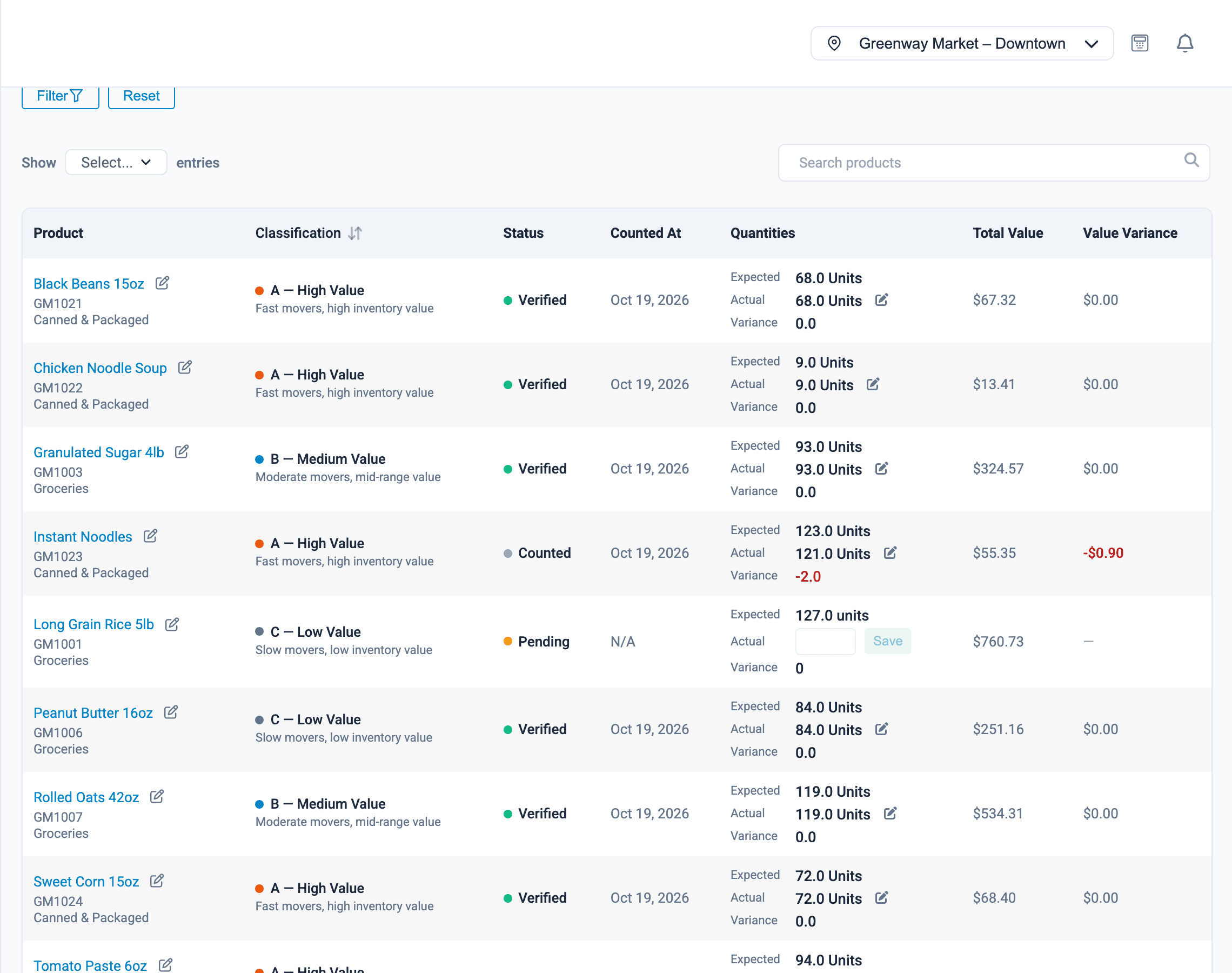
A cycle count covers a short list of products, so staff can finish it alongside normal work.
Losses found months late
Regular counts find a gap within weeks, while people still remember what happened.
No one owns the difference
Each counted line records who counted it and when, and each correction records who made it.
Stock audits
What Onassify does for you
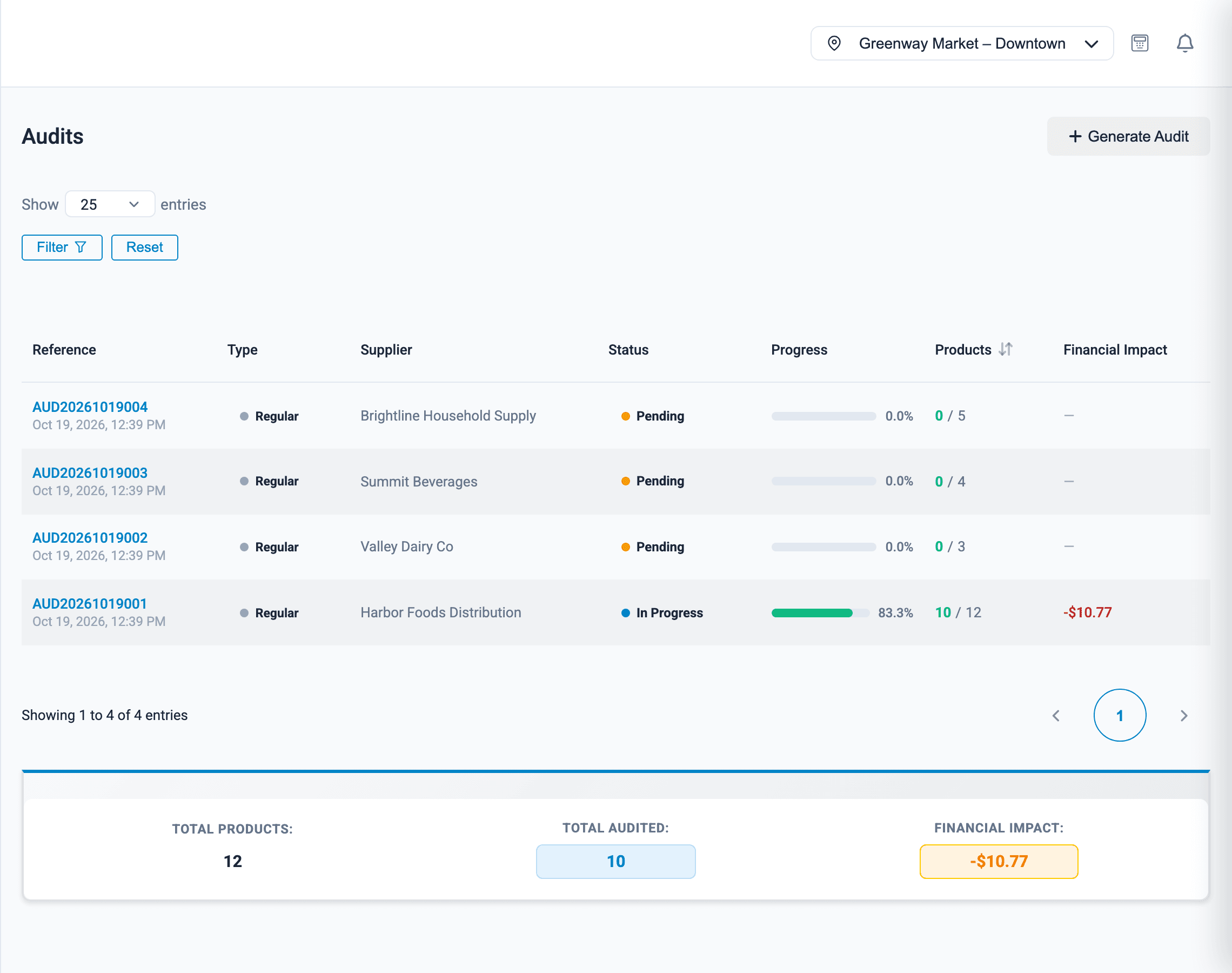
Audit lists that build themselves
Onassify ranks your products into A, B and C classes using their value and how fast they sell, then generates an audit for each class.
- A-class products counted most often, C-class least
- Weekly, bi-weekly, monthly, quarterly, annual or one-off audits
- A due date and progress bar for each audit
- Audits run per branch, against that branch's stock
Tools that go with audits
Incident reports
Log theft, damage or a discrepancy with the date, the people involved and how it was resolved.
Movement history
Open any product and see every sale, purchase, transfer and adjustment that changed its stock.
Permissions
Choose who can create an audit, who can count and who can complete it.
Per branch
Each branch runs its own audits against its own stock.
How it works
How a stock audit runs
- 1
Generate the audit
Pick the class and how often it should be counted. Onassify lists the products and their expected stock.
- 2
Count the shelf
Staff enter the quantity they find for each product.
- 3
Review the variances
Check each difference, recount if needed and add a note.
- 4
Complete the audit
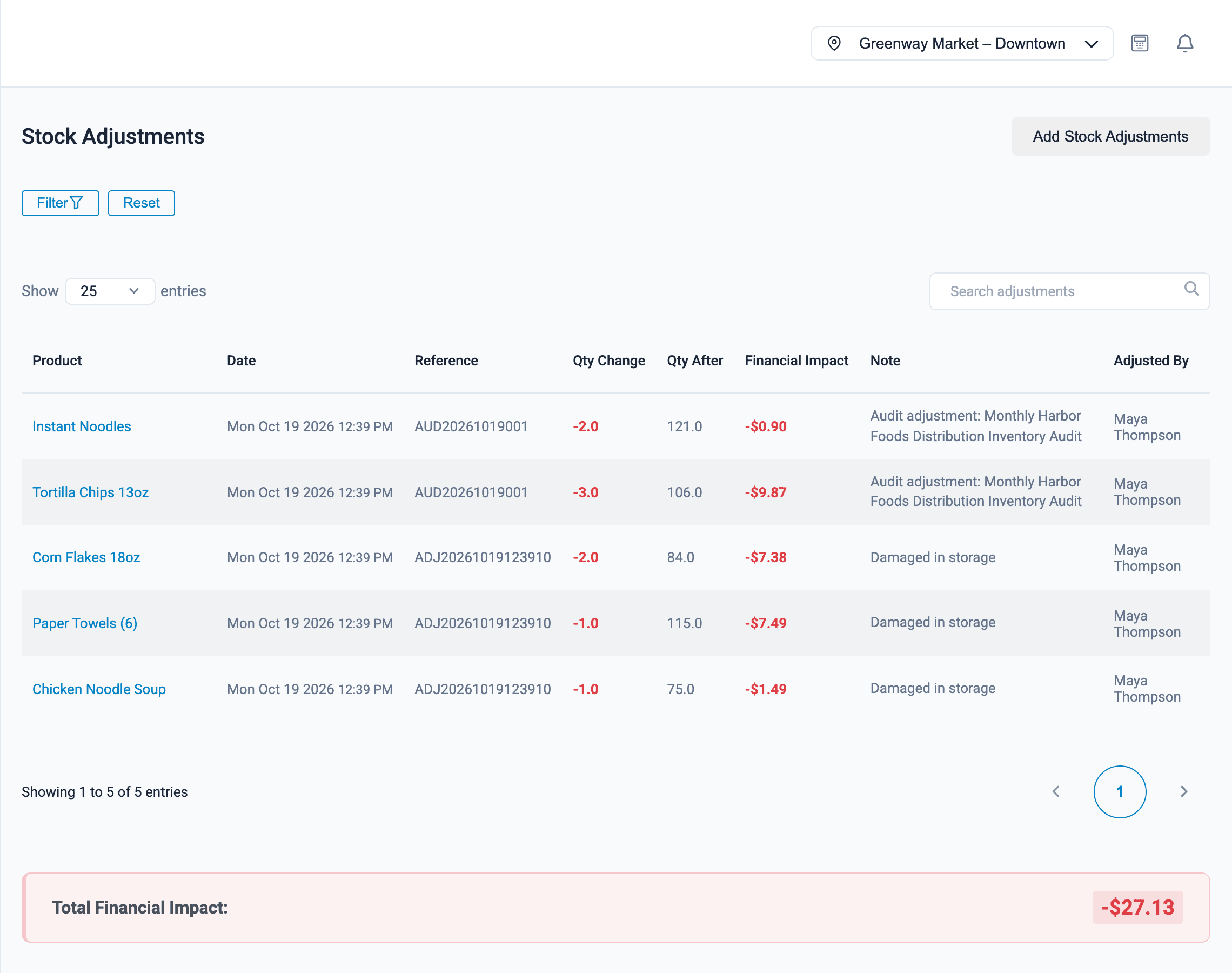
Stock is corrected and the adjustments stay on record.
FAQ
Stock audits: questions and answers
What is an A, B and C stock audit?
It is a way of counting the products that matter most, most often. Onassify scores each product by its value and how fast it sells. A-class products are counted most frequently, B-class less often and C-class least.
How often should I count my stock?
It depends on the product. In Onassify you can set audits to run weekly, bi-weekly, monthly, quarterly or annually, or create a one-off audit. Many shops count A-class items monthly.
What happens when the count does not match the system?
Onassify shows the variance for that product in units and in your currency. The correction is saved as a stock adjustment linked to the audit, with the person who made it.
Do I have to count the whole shop at once?
No. Each audit covers one class of products, so a count is a short list that staff can finish alongside their normal work.
Can I record theft or damaged goods?
Yes. Incident reports let you record theft, damage and discrepancies with the date, the people responsible and the resolution.
More of what Onassify does
Inventory management
Live stock levels in every branch, low-stock alerts by supplier and a record of every change.
Learn morePharmacies
Expiry dates with batch numbers, frequent counts for high-value items and tight staff permissions.
Learn morePOS software
A fast till that takes cash, POS terminal and transfer, and closes every register with a cash count.
Learn more
Know your stock. Trust your till. Grow your business.
Start your free Onassify trial today. Set up your store in minutes, no card required.