
For wholesalers
Wholesale and distribution software that tracks every carton and every debt
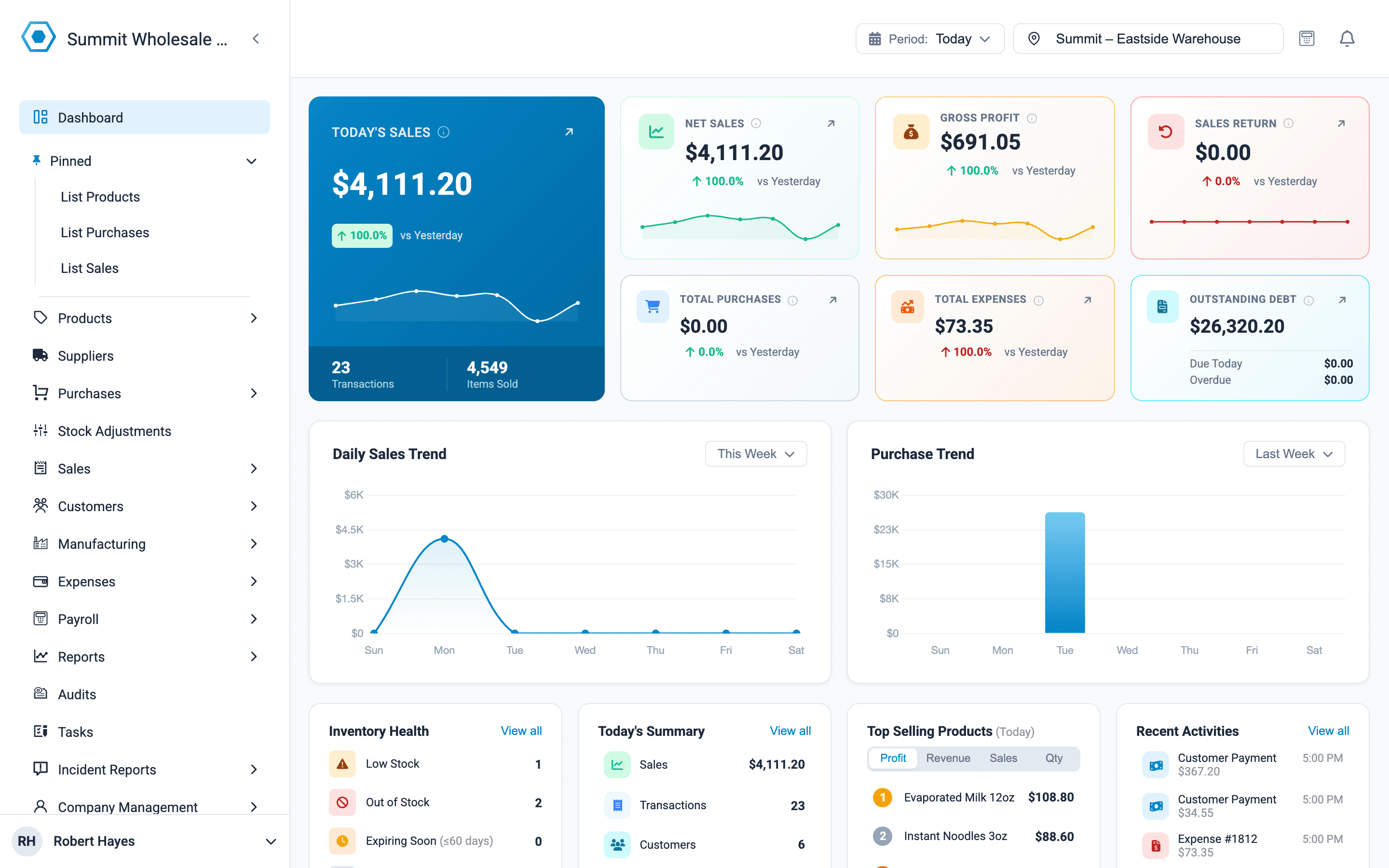
A distributor buys by the carton, sells by the carton to shops and by the piece to walk-in buyers, and is always owed money. Onassify handles all three, and shows who owes you what and when it is due.
Free trial · No card required · Works in your browser
What makes wholesale hard
Two prices for every product
Set a carton price and a piece price. The POS uses the right one depending on how the customer buys.
Money owed by too many shops
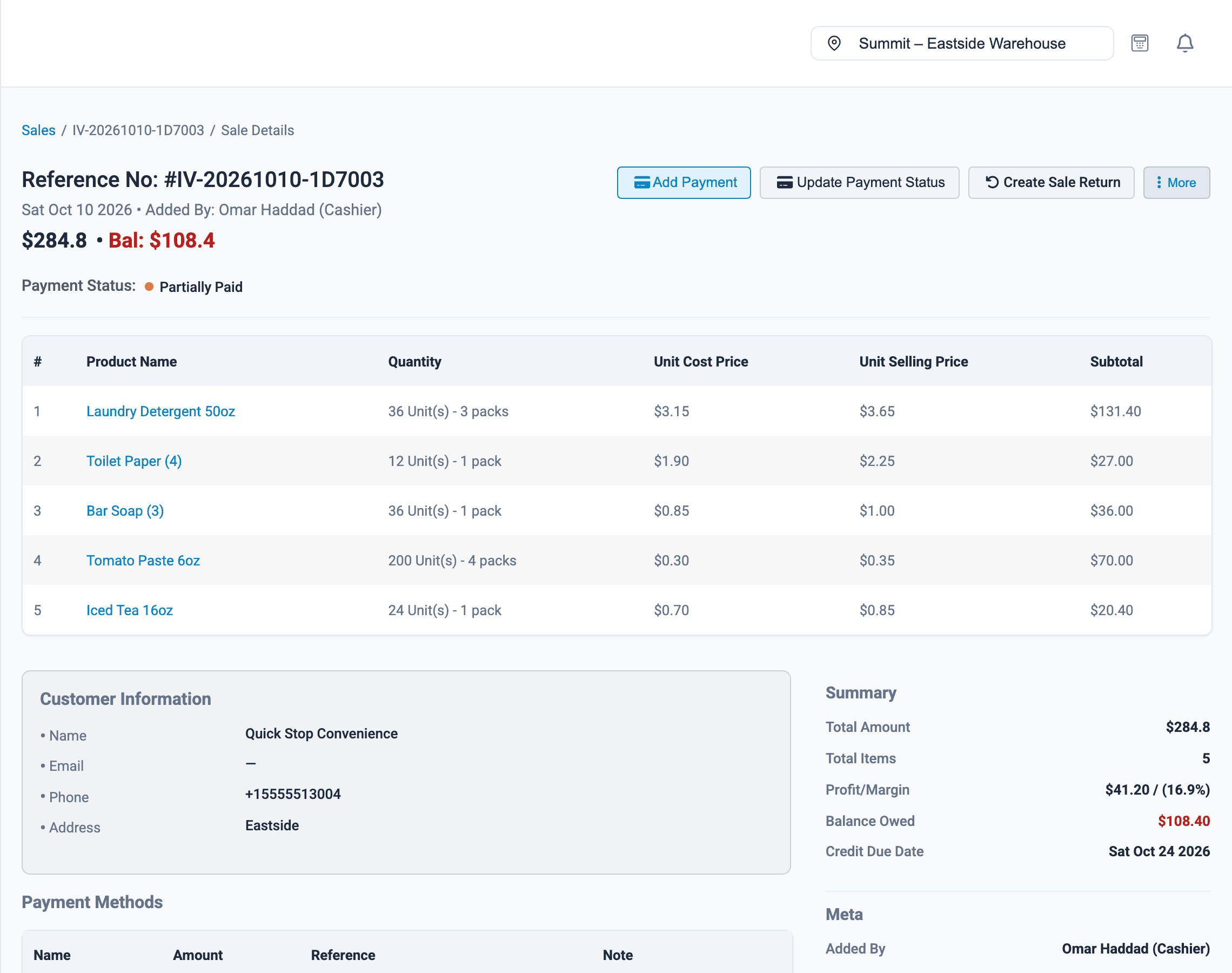
Every credit sale has a customer and a due date, and part payments reduce the balance.
Cartons and loose pieces
Stock is kept in pieces and shown in cartons and pieces, so nobody has to do the arithmetic.
For wholesalers
What Onassify does for you
Sell by the carton or by the piece
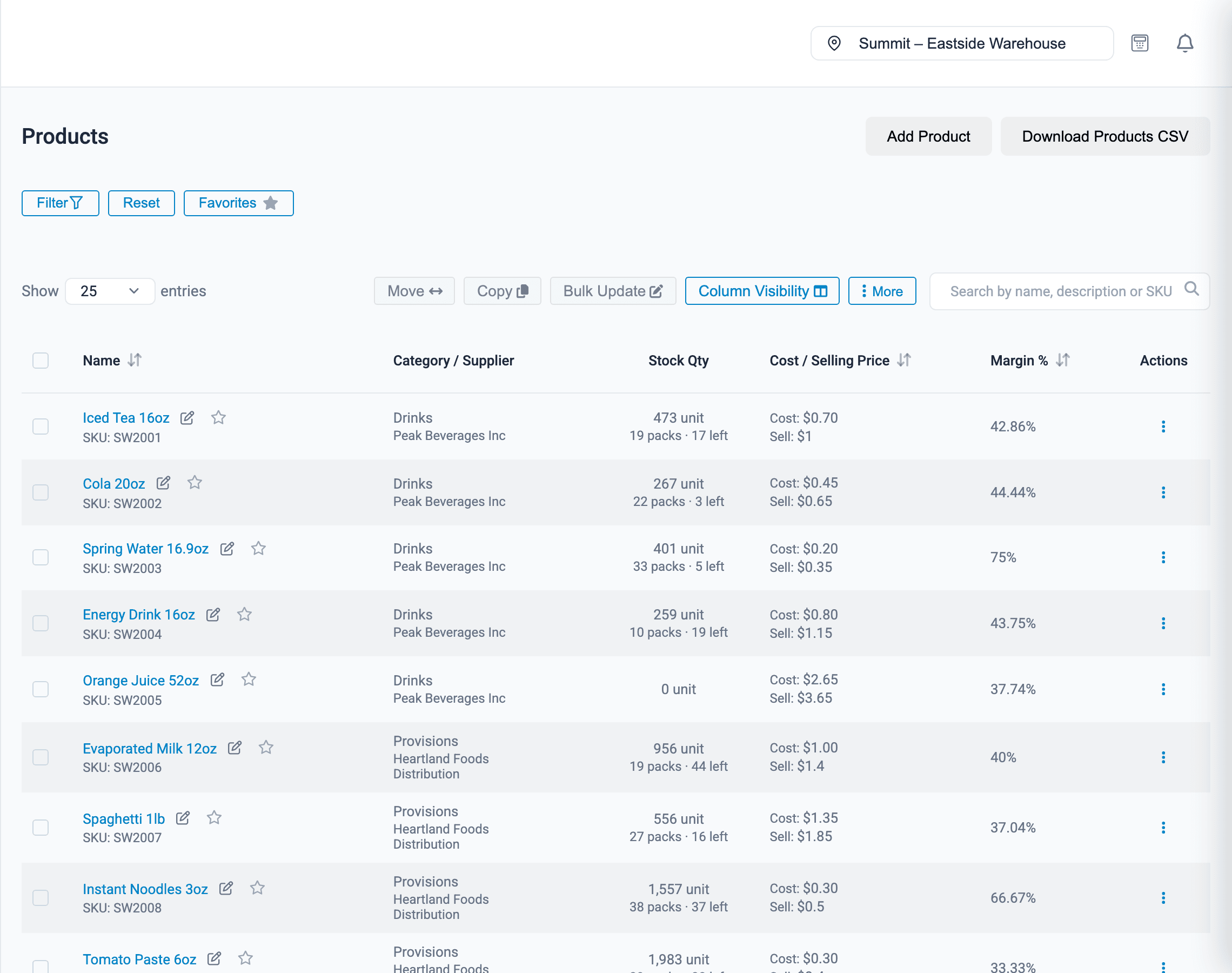
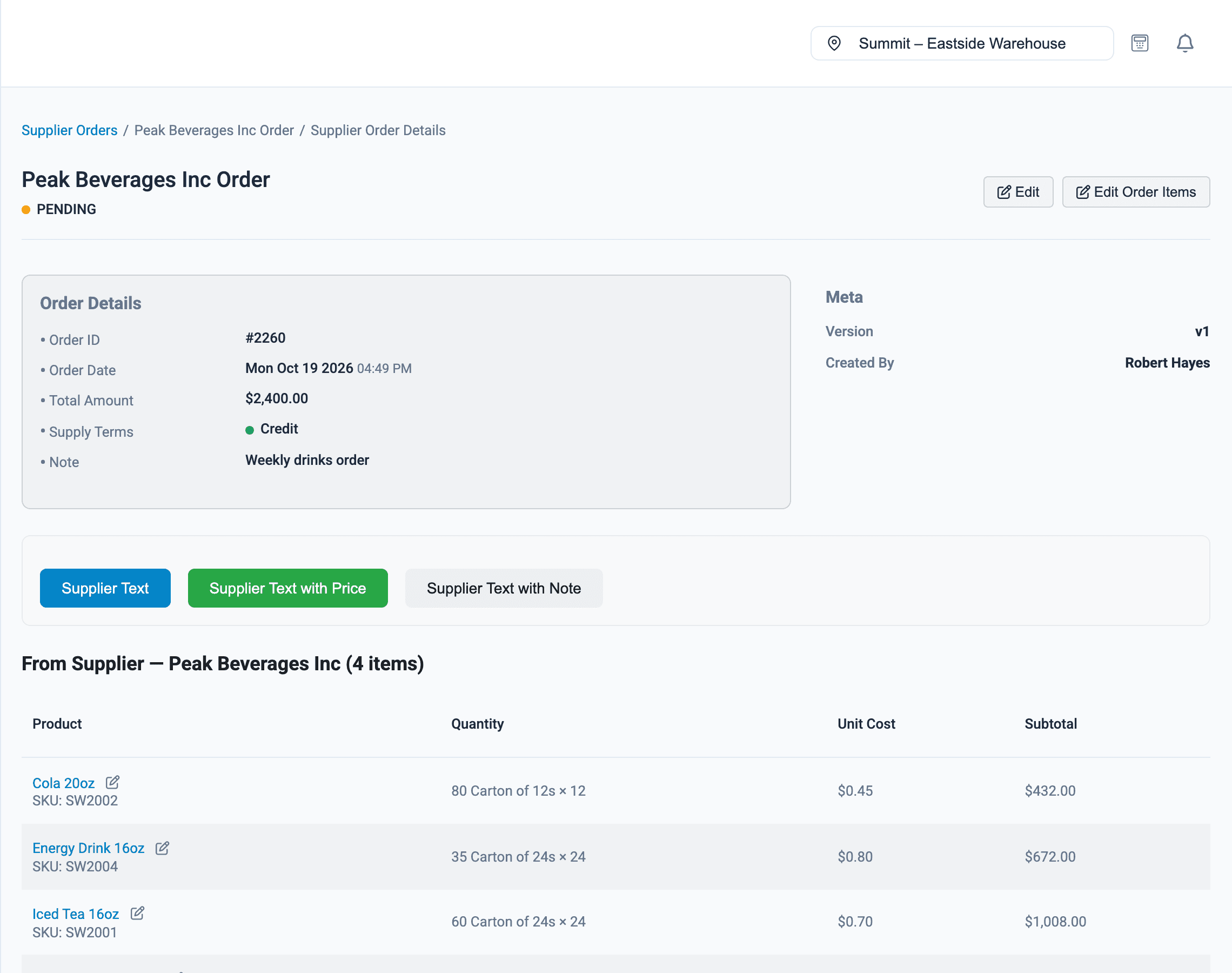
Give each product a carton size and a carton price. A shop buying four cartons of malt drinks pays the wholesale rate; a walk-in buyer taking two cans pays retail.
- Carton, pack or bag sizes you define
- A separate price per piece when bought by the carton
- Stock shown as cartons plus loose pieces
- Bulk-edit prices when the manufacturer changes them
Also for distributors
Several warehouses
Run each warehouse or depot as a branch and move stock between them.
Sales staff logins
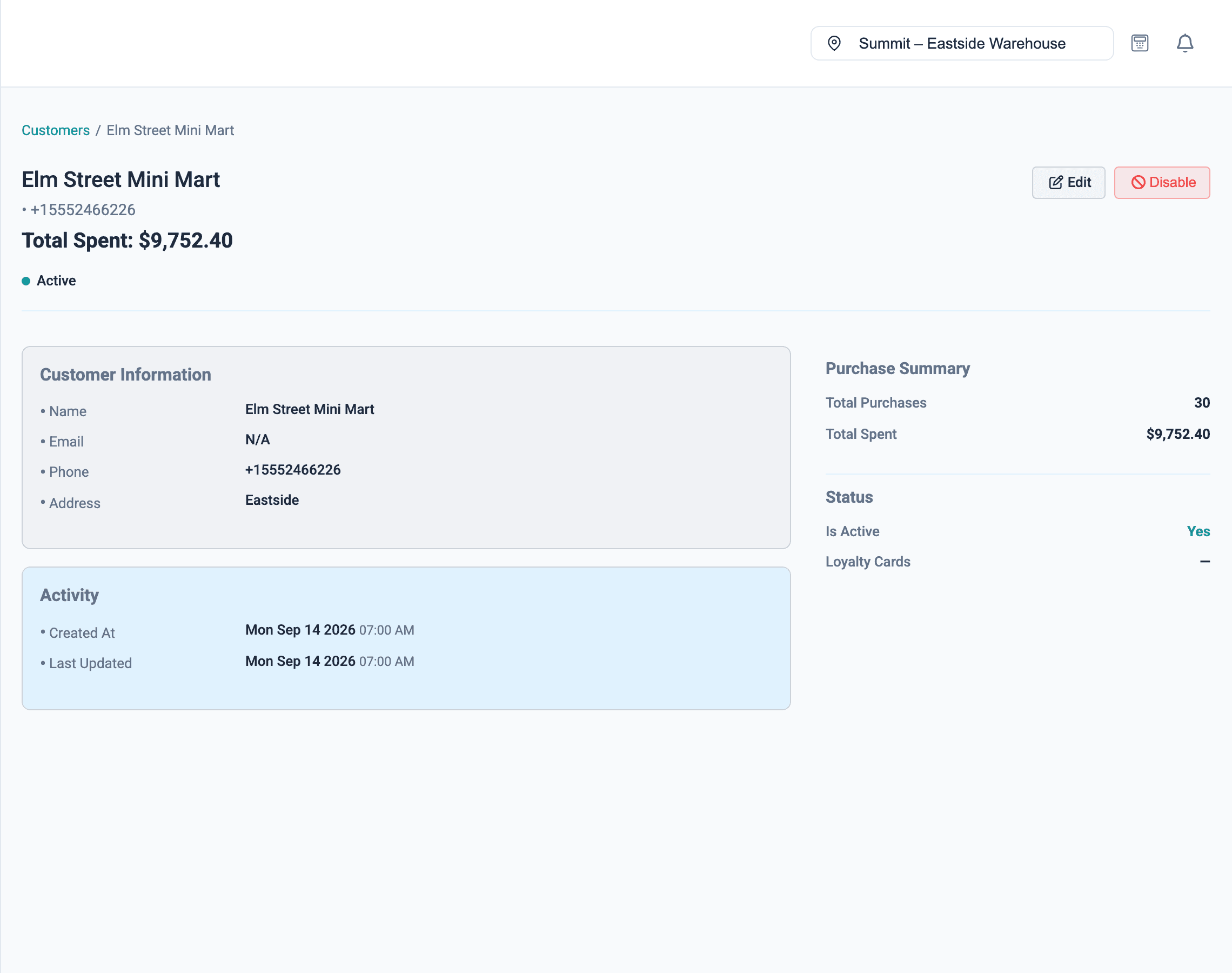
Each sales officer sells under their own name, closes their own register and can look up a shop's sales from the POS.
Profit on every sale
See the margin on each sale, carton prices included.
Expenses
Record truck fuel, loading and warehouse rent against your sales.
Stock audits
Count your highest-value lines most often and see every variance.
Payroll
Pay sales officers, loaders and drivers from the same system.
How it works
Getting started as a distributor
- 1
Create your account
Sign up with your company name and email.
- 2
Set up carton sizes
Add the carton, pack and bag sizes you buy and sell in.
- 3
Import your products
Upload your price list with piece and carton prices.
- 4
Add your customers
Add the shops you supply, then start selling.
FAQ
Wholesale & distribution: questions and answers
Can I have a wholesale price and a retail price for the same product?
Yes. Each product has its normal price per piece and a carton price. When a product is sold by the carton, the carton price is used.
Can shops pay part of what they owe?
Yes. Add a payment to a credit sale for any amount. The sale shows as partially paid, with the balance still owed.
How do I see who owes me money?
The dashboard shows total outstanding debt, including what is due today and what is overdue. The sales list can be filtered by customer and by payment status, so you can see exactly what one shop still owes.
Can Onassify set a credit limit for each customer?
Not yet. You can see what each customer owes on their sales, but Onassify does not stop a sale when a customer goes over a limit.
Does it work with more than one warehouse?
Yes. Each warehouse can be a branch with its own stock, and stock can be transferred between them.
More of what Onassify does
Multi-branch retail
Each branch with its own stock, registers and reports, transfers between branches and staff limited to where they work.
Learn moreInventory management
Live stock levels in every branch, low-stock alerts by supplier and a record of every change.
Learn morePOS software
A fast till that takes cash, POS terminal and transfer, and closes every register with a cash count.
Learn more
Know your stock. Trust your till. Grow your business.
Start your free Onassify trial today. Set up your store in minutes, no card required.