
Inventory management
Inventory management software for Nigerian businesses
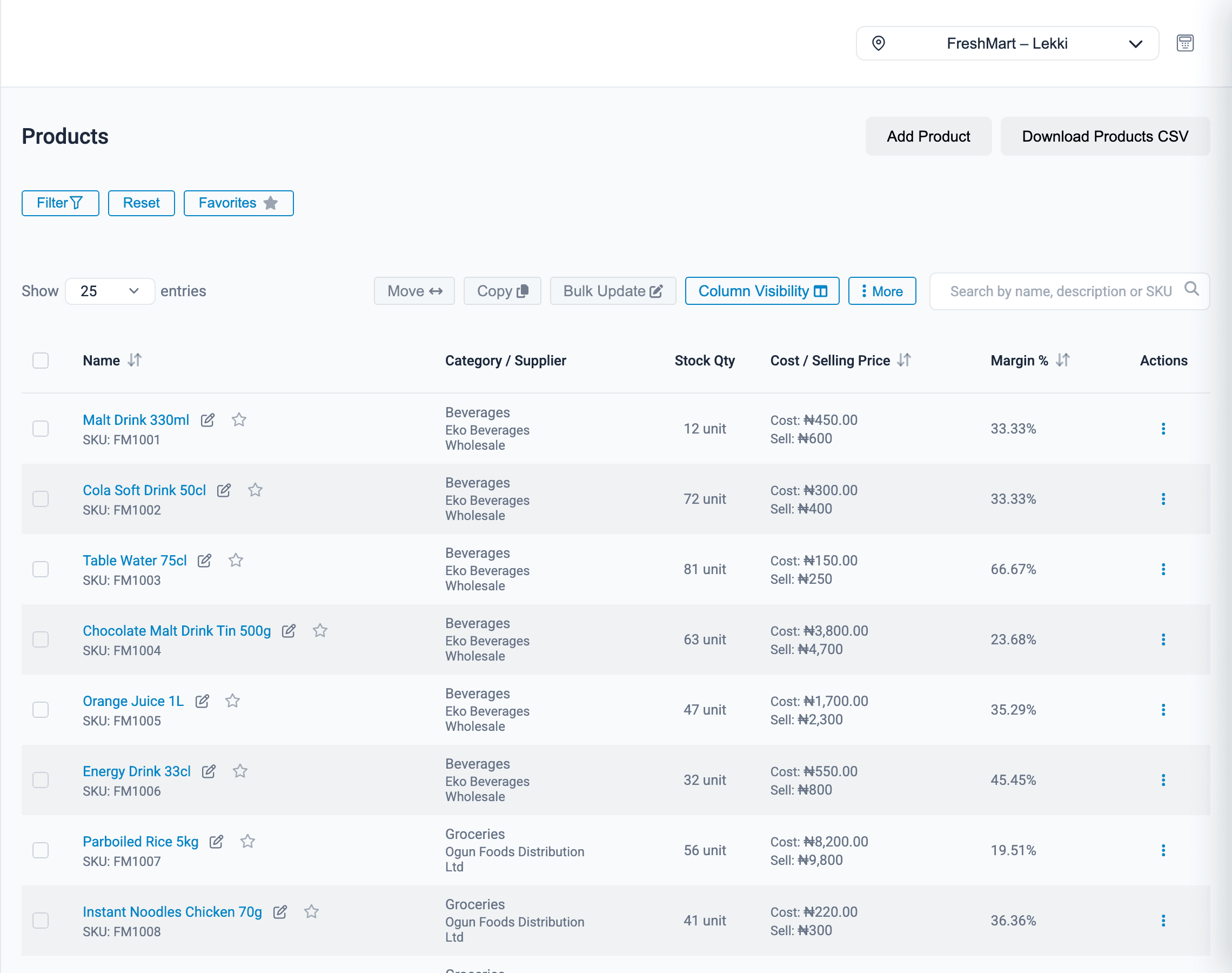
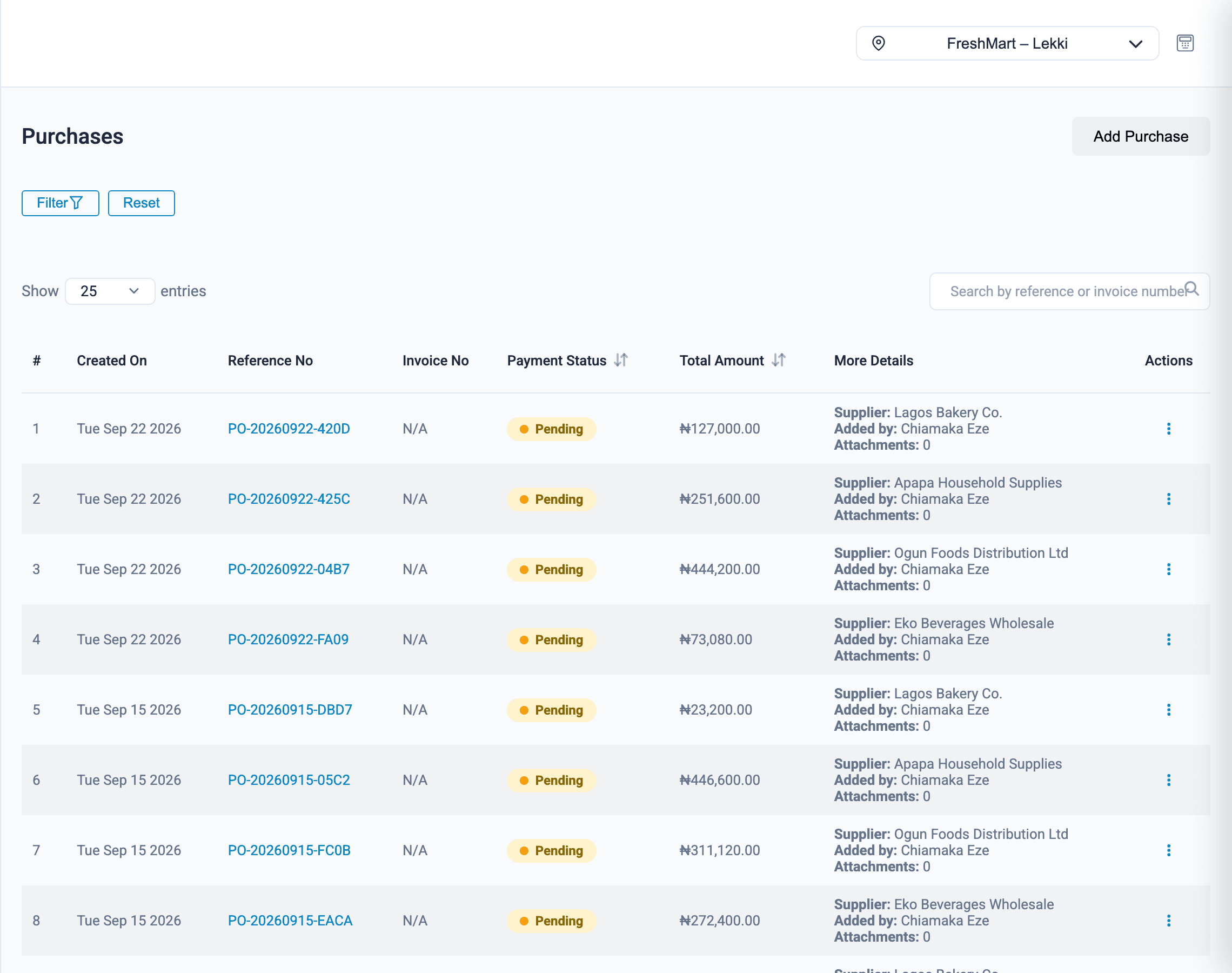
Onassify keeps one product list with live stock for every branch. Sales, purchases, returns and adjustments all update the same numbers, so you stop counting shelves to find out what you have.
Free trial · No card required · Works in your browser
Why stock goes wrong
Empty shelves, no warning
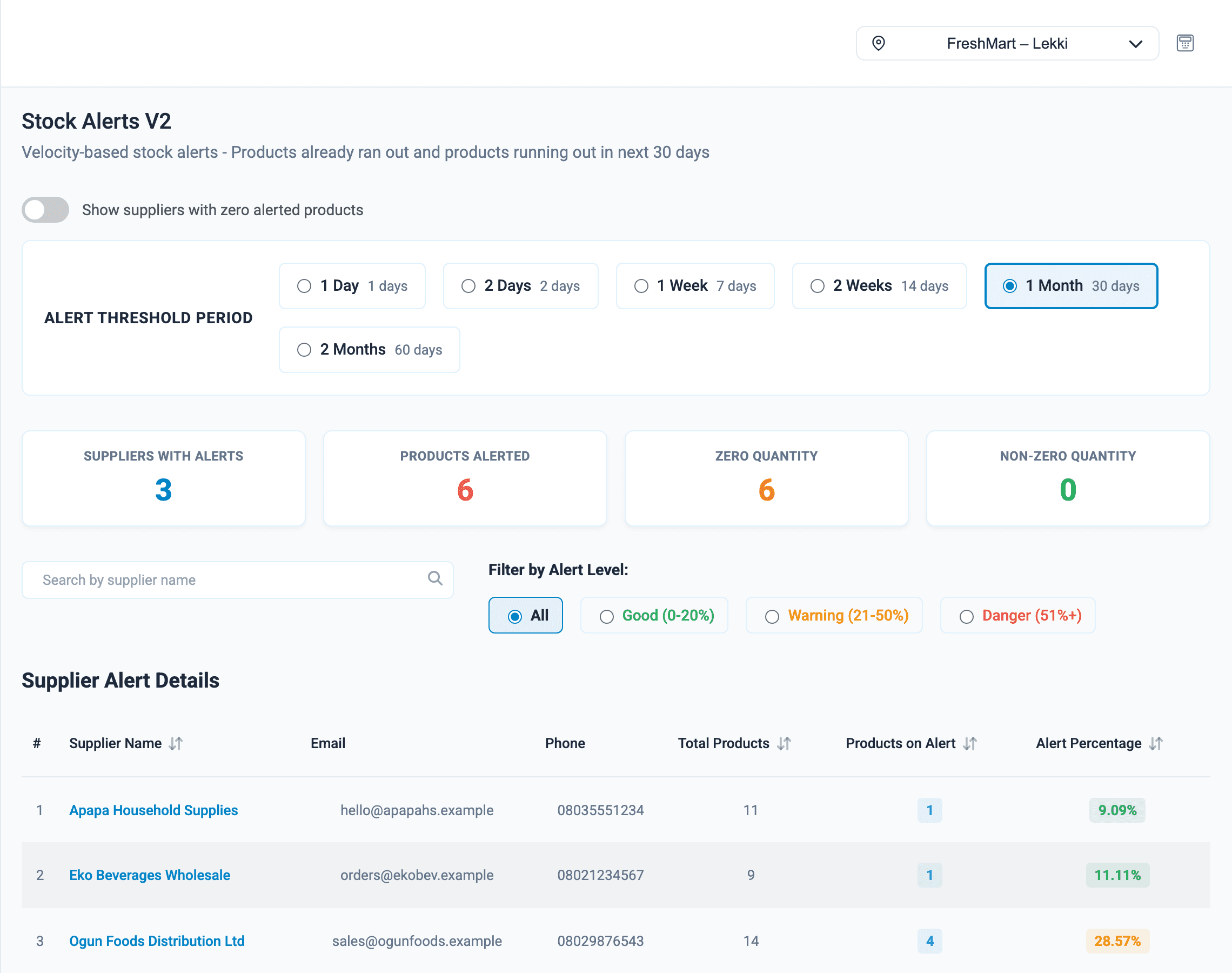
Set a minimum level for each product and Onassify tells you what is running low before customers notice.
Stock changes with no record
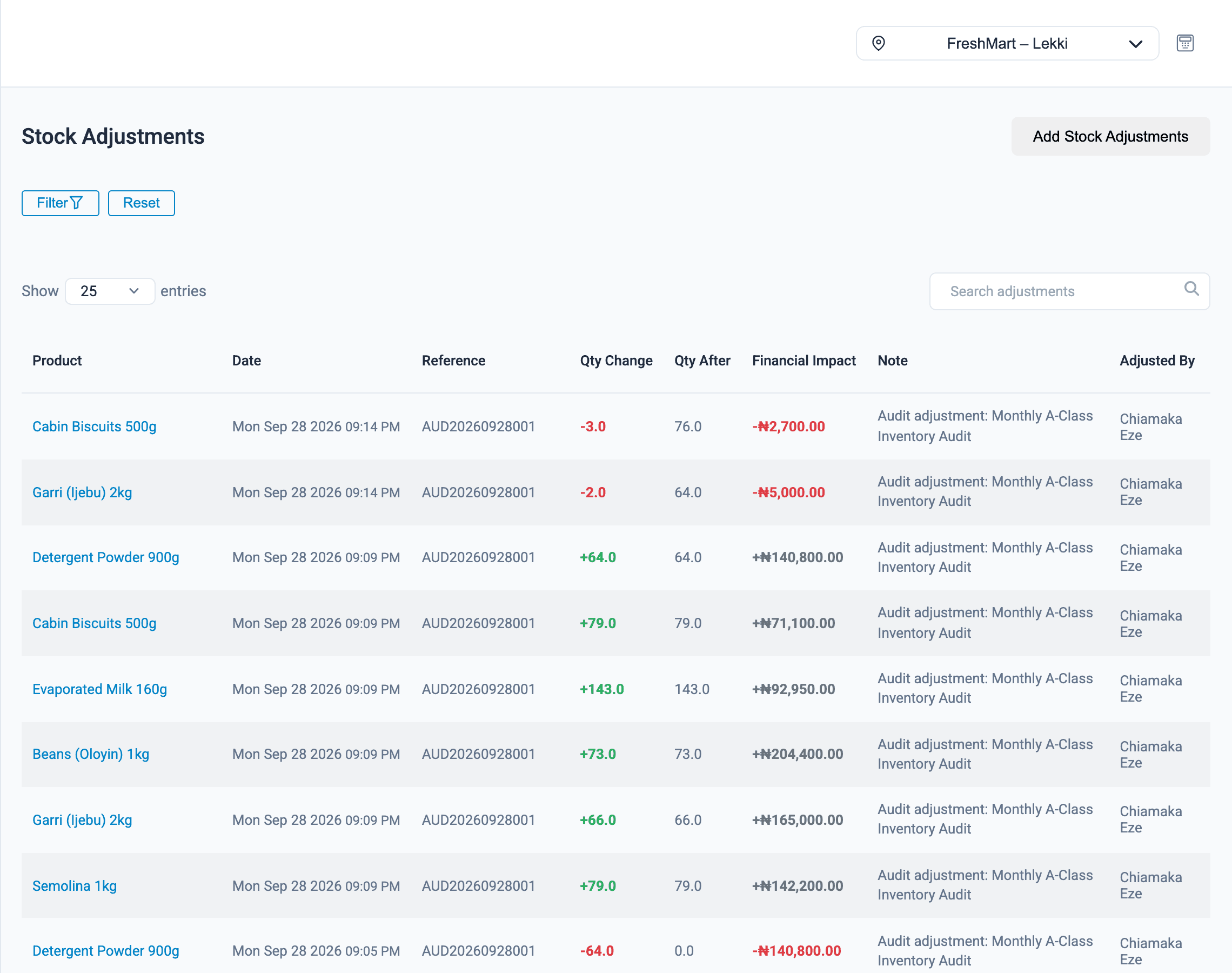
Every adjustment is saved with the person who made it, the reason and its value in naira.
Cash tied up in slow stock
The stale products report lists items that have not sold in a week, a month or three months.
Inventory management
What Onassify does for you
Reorder before you run out
Low-stock alerts are grouped by the supplier you buy each product from, so one screen shows everything to order from each of them.
- Minimum stock levels per product
- Alerts grouped by supplier
- Turn an alert into a supplier order
- See stock another branch could transfer instead of buying
Built for real stockrooms
Expiry dates
Record expiry dates with batch numbers and quantities, and get warned ahead of time: 30, 60 or 90 days, as you choose.
Transfers between branches
Move stock from a branch that has too much to one that is running low.
CSV import and bulk edits
Import your product list from a spreadsheet and change many prices at once.
Barcode price labels
Print shelf labels with the barcode and price for any product.
Duplicate products
Onassify finds products entered twice and lets you merge them.
Categories, brands and units
Organise products the way your shop is organised.
How it works
Getting your stock into Onassify
- 1
Import your products
Upload a CSV file or add products one at a time.
- 2
Enter opening stock
Record what is on the shelf in each branch today.
- 3
Set minimum levels
Choose the quantity at which each product should be reordered.
- 4
Sell and buy as usual
Sales and purchases keep the numbers up to date from then on.
FAQ
Inventory management: questions and answers
Can I import my products from Excel?
Yes. Save your spreadsheet as a CSV file and import it. You can also add products one at a time and bulk-edit prices later.
Can Onassify track stock in more than one shop or warehouse?
Yes. Each branch has its own stock levels. You can switch between branches, compare them and move stock from one to another.
I buy in cartons but sell in pieces. Can Onassify handle that?
Yes. Define a pack, such as a carton of 24, and Onassify converts between cartons and units when you buy and when you sell.
Does Onassify track expiry dates?
Yes. You can record expiry dates for a product with a batch number and quantity. The dashboard shows how many items are expiring soon, and you choose how far ahead to be warned, for example 30, 60 or 90 days.
How does Onassify know my stock is low?
Two ways. You can set a minimum stock level for each product, and Onassify also works out how fast each product sells and alerts you when the stock left will not last the period you choose, from one day to two months.
More of what Onassify does
Stock audits
Cycle counts by A, B and C class, with every variance shown in units and in value.
Learn morePOS software
A fast till that takes cash, POS terminal and transfer, and closes every register with a cash count.
Learn morePharmacies
Expiry dates with batch numbers, frequent counts for high-value items and tight staff permissions.
Learn more
Know your stock. Trust your till. Grow your business.
Start your free Onassify trial today. Set up your store in minutes, no card required.