
For supermarkets
Supermarket POS and inventory software for Ghana
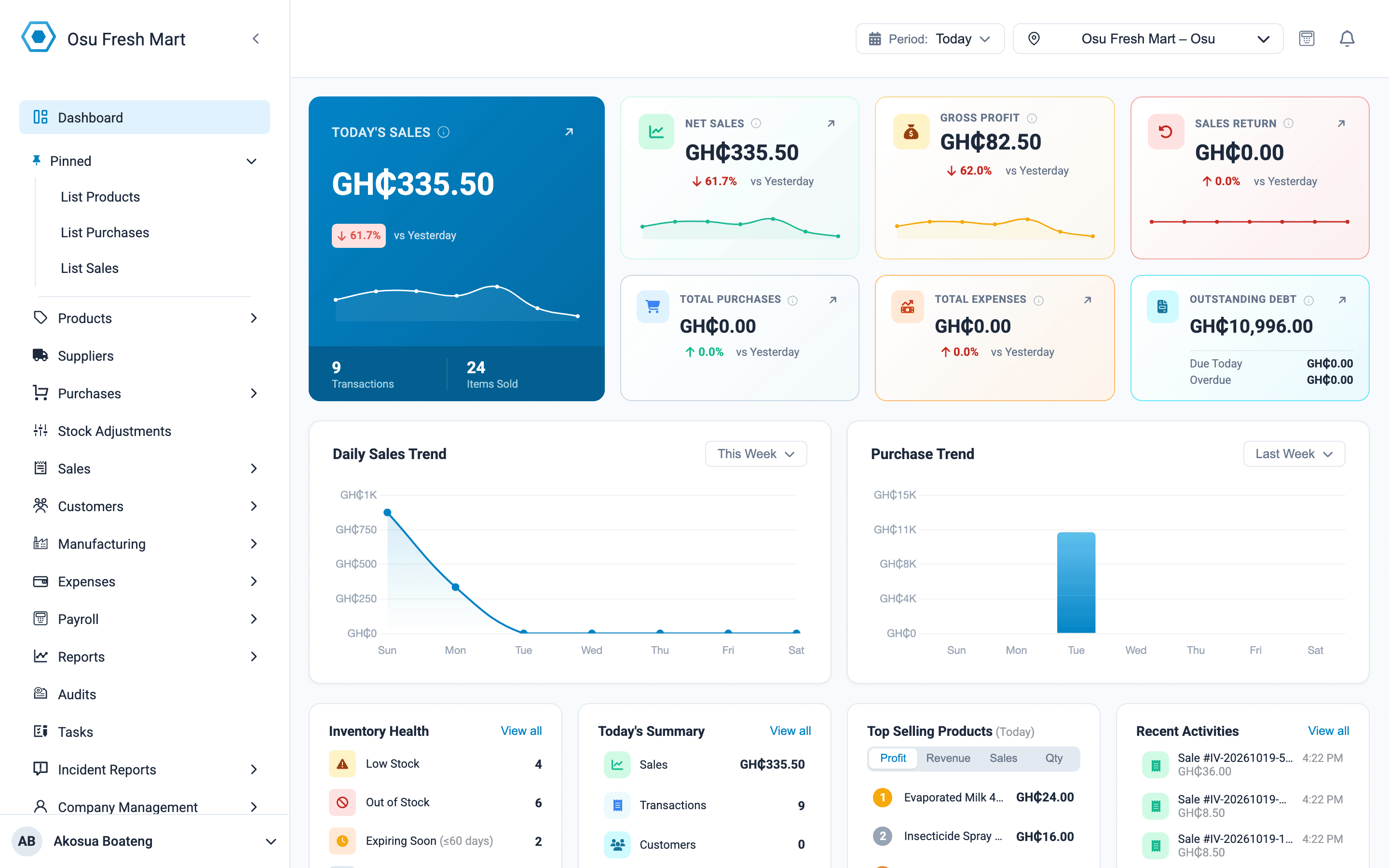
A supermarket has hundreds of products, several cashiers and distributors arriving every week. Onassify runs the checkout, keeps stock right in every branch and shows the day's sales and profit in cedis on one dashboard.
Free trial · No card required · Works in your browser
The daily problems of a supermarket
Queues at peak hours
Barcode scanning and split payments keep each customer's time at the till short, even when they pay part cash, part MoMo.
Empty shelves, wrong stock
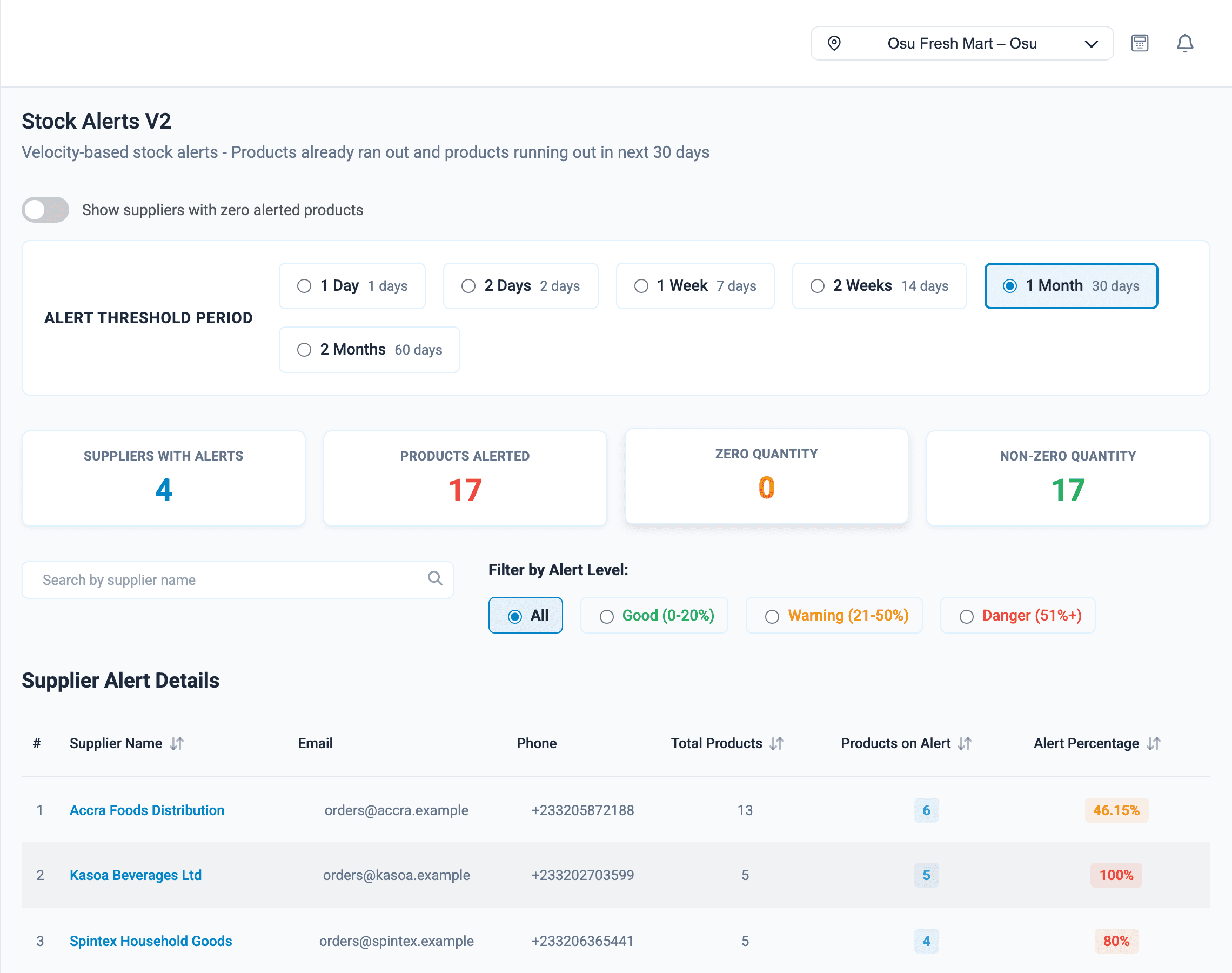
Stock alerts and the stale products report show what to buy and what to stop buying.
One shortage, many cashiers
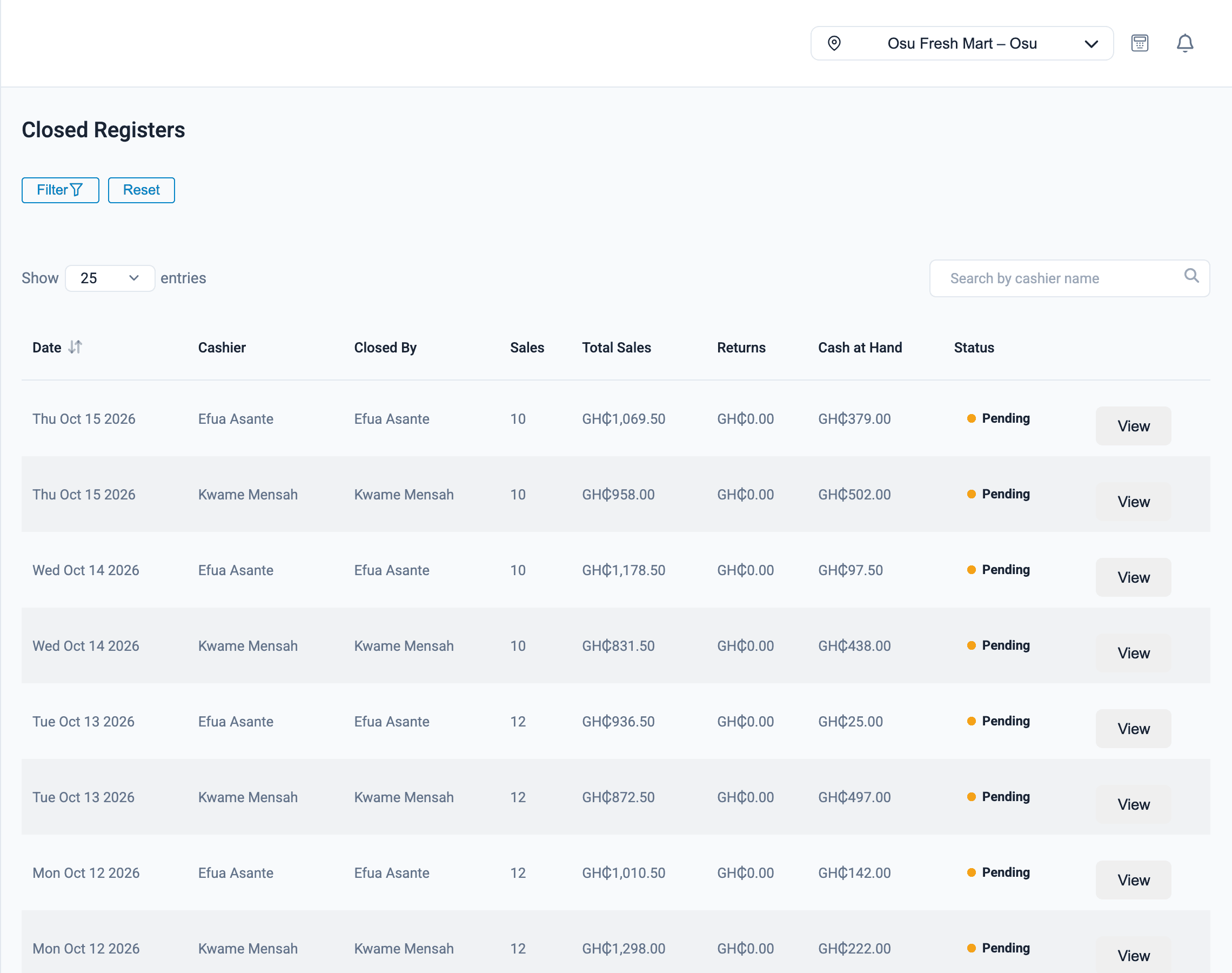
Each cashier closes their own register, so a shortage has a name attached.
For supermarkets
What Onassify does for you
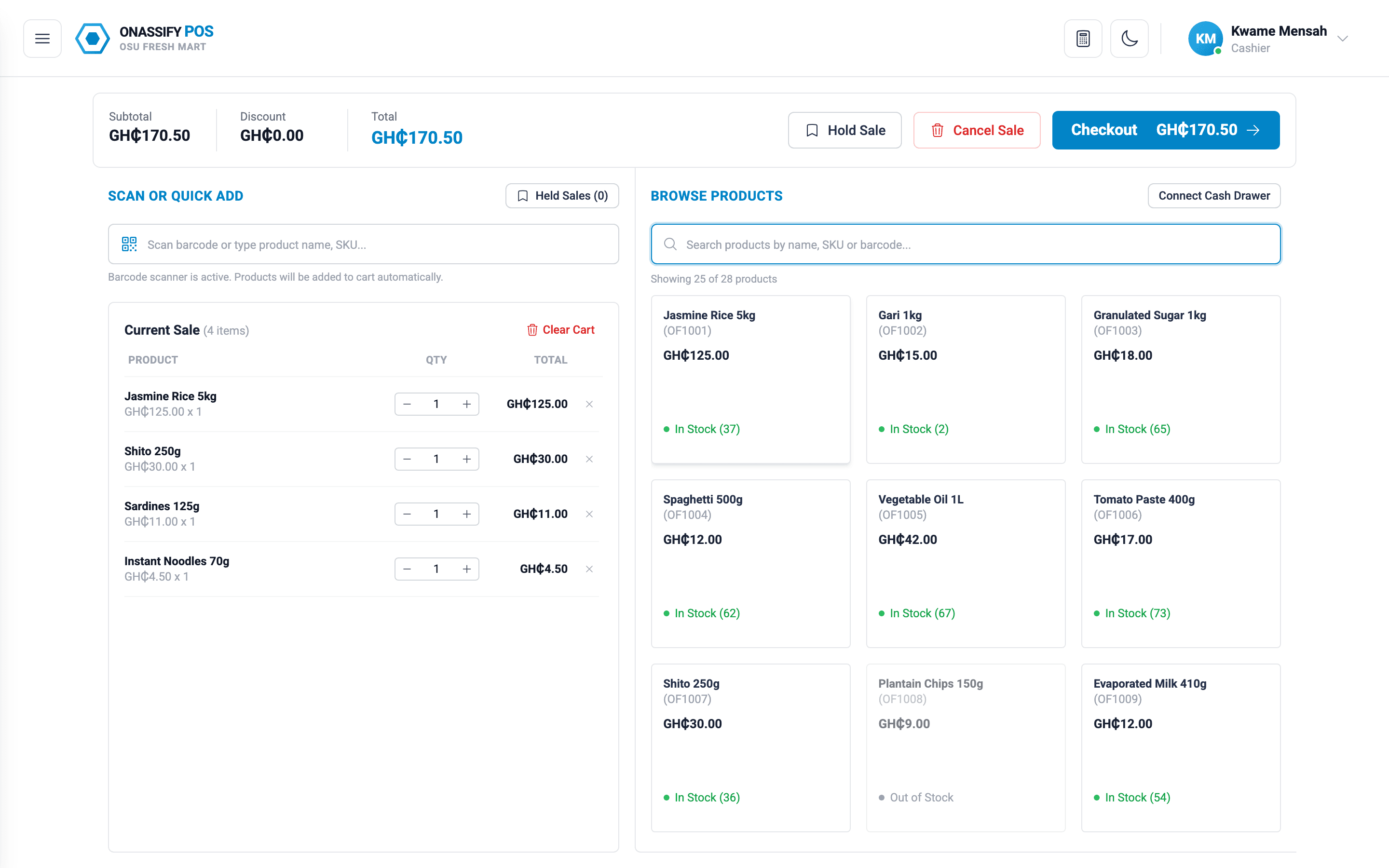
Keep the queue moving
Cashiers scan, take payment and print the receipt from one screen.
- Scan barcodes or search by name
- Cash, MoMo and card on the same bill
- Park a sale when a customer goes back for one more item
- Loyalty cards and discounts
Also in Onassify for supermarkets
Expiry dates
See which products are expiring soon, from milk to canned goods.
Stock audits
Count your highest-value products most often and see every variance in cedis.
Branch transfers
Move stock between branches and compare their sales.
Expenses
Record generator fuel, ECG prepaid units and other running costs against the day's sales.
Roles and permissions
Cashiers sell, supervisors approve, owners see everything.
Every branch in one account
Run every branch from one login, wherever you are.
How it works
Opening day with Onassify
- 1
Create your account
Sign up with your supermarket's name and choose Ghana and cedis.
- 2
Import products
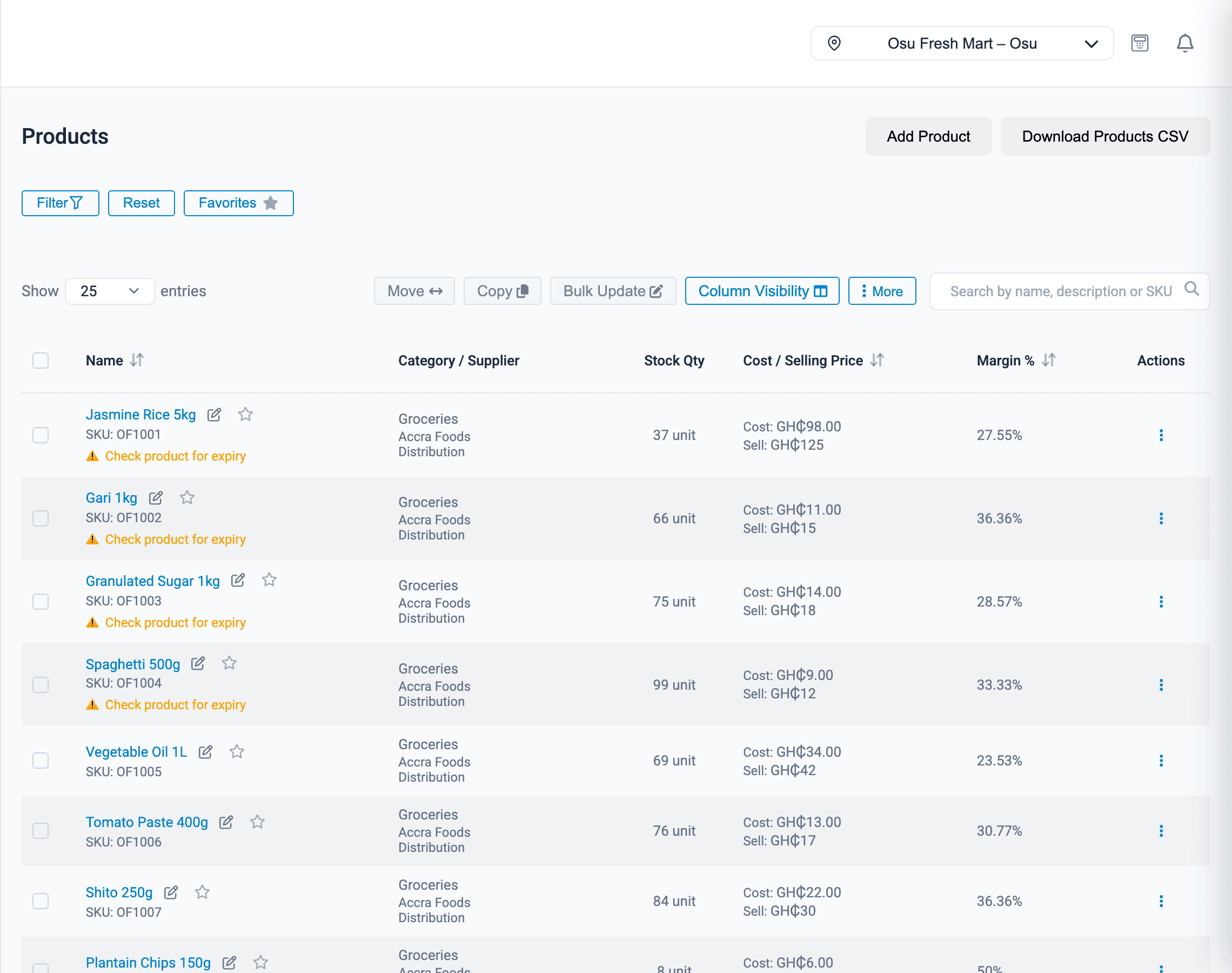
Upload your price list with barcodes from a CSV file.
- 3
Add cashiers
Give each cashier a login and a role.
- 4
Open the tills
Each cashier opens a register at pos.onassify.com and starts selling.
FAQ
Supermarkets: questions and answers
Can customers pay with MoMo at the till?
Yes. Add mobile money as a payment method and cashiers record it on each sale, alone or split with cash or card. The end-of-day totals show MoMo separately.
Can several cashiers sell at the same time?
Yes. Each cashier signs in with their own login and opens their own register. Sales from every till update the same stock.
Does Onassify print price labels?
Yes. You can print shelf labels with the barcode and price in cedis for any product.
Can I see profit, not only sales?
Yes. Onassify uses the cost price from your purchases to show gross profit for each sale, each day and each branch, alongside your expenses.
Can I run more than one branch?
Yes. Each branch has its own stock, registers and reports under one account, and you can transfer stock between branches.
More of what Onassify does
POS software
A fast till that takes cash, MoMo and card on the same bill, and closes every register with a cash count.
Learn moreInventory management
Live stock in every branch, reorder alerts by supplier and a record of every change, valued in cedis.
Learn moreStock audits
Cycle counts by A, B and C class, with every variance shown in units and in value.
Learn more
Know your stock. Trust your till. Grow your business.
Start your free Onassify trial today. Set up your store in minutes, no card required.